7.10.2 SYS._TO_BCD
Function
Convert integer to BCD code
LD graphics

Parameter description
| Interface variable | Declaration | Data type | Description |
|---|---|---|---|
| IN | Var_Input | INT(DINT) | Data to be converted |
| Function name | Return value | WORD(DWORD) | Output the converted result |
warning
- When using this instruction, it is recommended to specify the source data type and target data type
- When converting 16-bit integer to BCD code, function name: INT_TO_BCD_WORD, the data to be converted is input, IN is greater than or equal to 0 and less than or equal to 9999
- When converting 32-bit integer to BCD code, function name: DINT_TO_BCD_DWORD, the data to be converted is input, IN is greater than or equal to 0 and less than or equal to 9999_9999
- In LD, select the source data type by clicking the "???" in the upper left corner of the graph; click the "???" in the upper right corner of the graph to select the target data type
- When adding by dragging in ST, the data type selection window as shown below will appear:

Example
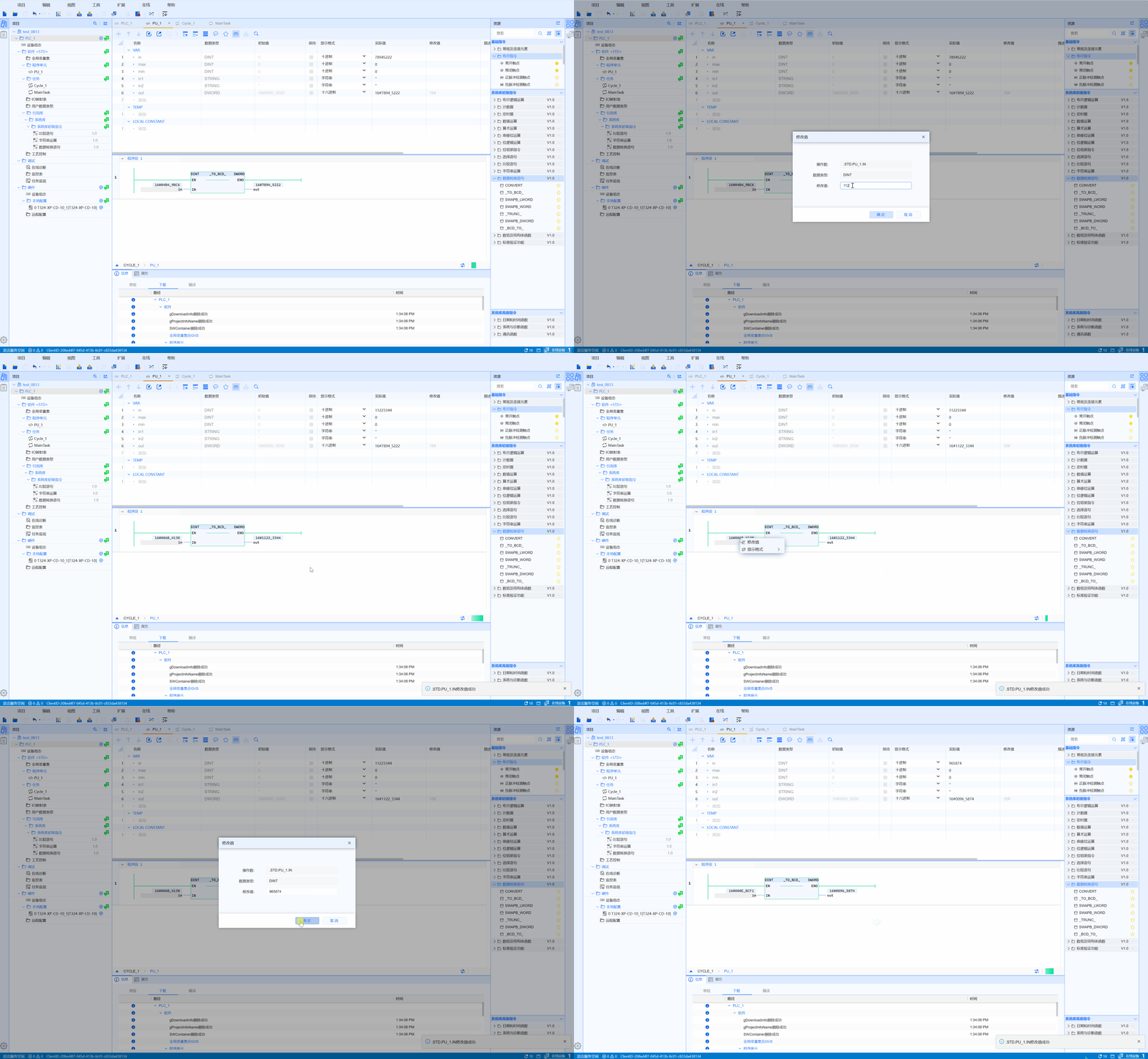
- LD example is shown in the following animation:
- ST example is shown in the following code:
OUT_WORD := INT_TO_BCD_WORD(IN_INT);