7.7.5 MUX
Function
Select one function from multiple selections, select the input pin number based on the value of K, and assign it to OUT. If K equals 1, the value of the IN1 pin is obtained, similar to OUT:=IN1, and so on. When the value of K is not equal to the pin number, OUT:=DFLT
LD graphics

Parameter description
| Interface variable | Declaration | Data type | Description |
|---|---|---|---|
| K | Var_Input | UINT | Select the output object |
| DFLT | Var_Input | ANY_ELEMENTARY | If K is not in the range [1...n], the object of OUT output |
| IN1 | Var_Input | ANY_ELEMENTARY | Object to be selected |
| IN2 | Var_Input | ANY_ELEMENTARY | Object to be selected |
| Function name | Return value | ANY_ELEMENTARY | Output the selected object |
warning
- The parameter types of parameters DFLT, IN1, IN2 and OUT must be the same, otherwise the function cannot be executed
- MUX is an extensible function, and inputs can be added by clicking the "+" in the graph
- ANY_ELEMENTARY includes all basic types (bit strings, integers, floating point numbers, characters and strings, times and dates)
Example
- LD sample animation is as follows:
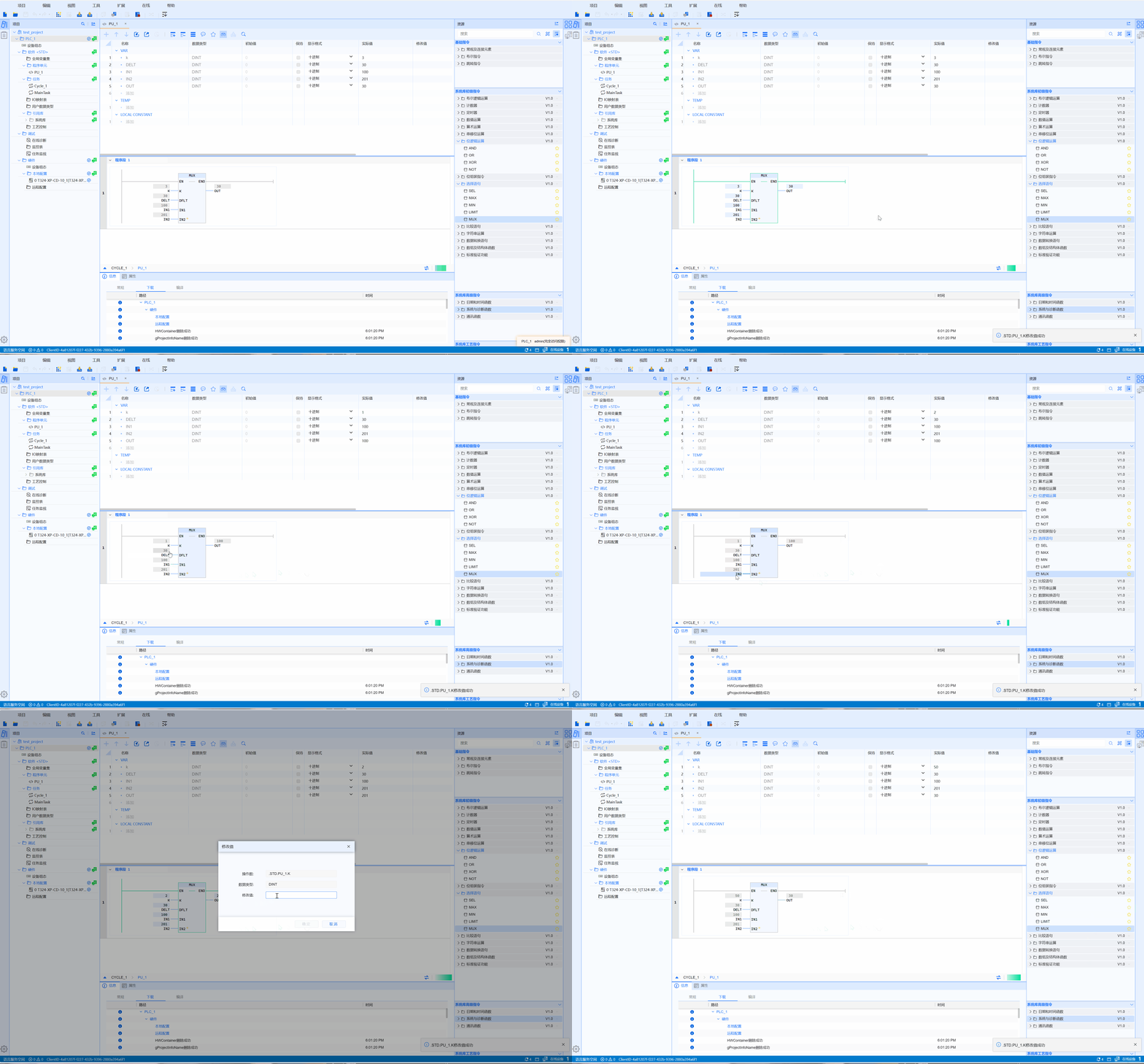
- ST example is shown in the following code:
OUT:=MUX(
    K:=4,
    DFLT:=1,
    IN1:=10,
    IN2:=100
);
OUT2:=MUX(
    K:=4,
    DFLT:=1,
    IN1:=10,
    IN2:=100,
    IN3:=1000,
    IN4:=10000,
    IN5:=50000
);