6.2.3 ST Basic Instructions
- Basic instructions are shown in the following table:
| Serial number | System library directory identification | Description | Remarks |
|---|---|---|---|
| 1 | IF...THEN... | Select IF conditional execution | |
| 2 | IF...THEN...ELSE... | Select IF conditional branch | |
| 3 | IF...THEN...ELSIF... | Select IF condition multiple branches | |
| 4 | CASE...OF... | Select CASE multi-branch | |
| 5 | FOR...TO...DO... | Loop statement FOR step size is 1 | |
| 6 | FOR...TO...BY...DO | Loop statement FOR by step size by | |
| 7 | WHILE...DO... | The loop WHILE is executed when the conditions are met | |
| 8 | REPEAT...UNTIL... | Executed when loop REPEAT does not meet the conditions | |
| 9 | CONTINUE | Go to the next cycle | |
| 10 | EXIT | Exit the loop immediately | |
| 11 | RETURN | Exit this program unit block | |
| 12 | REGIION | Range interval |
6.2.3.1 Select IF condition execution
-
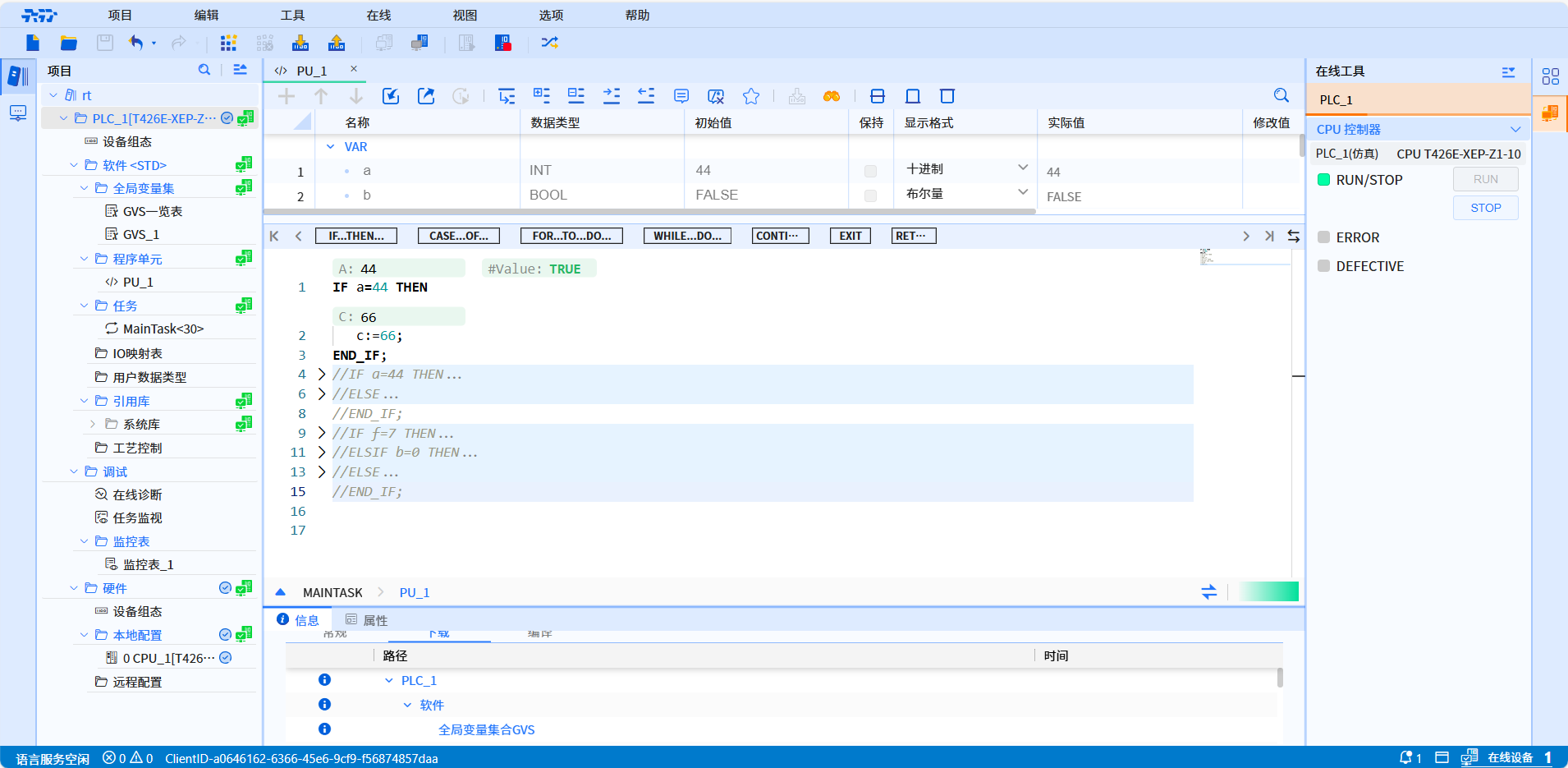
Describe: IF...THEN... is to select the if conditional execution statement, which is used to determine whether the condition is true. If it is true, the statement after THEN is executed
-
Grammar:
IF condition THEN
    instructions;
END_IF;
- Example:
6.2.3.2 Select IF conditional branch
-
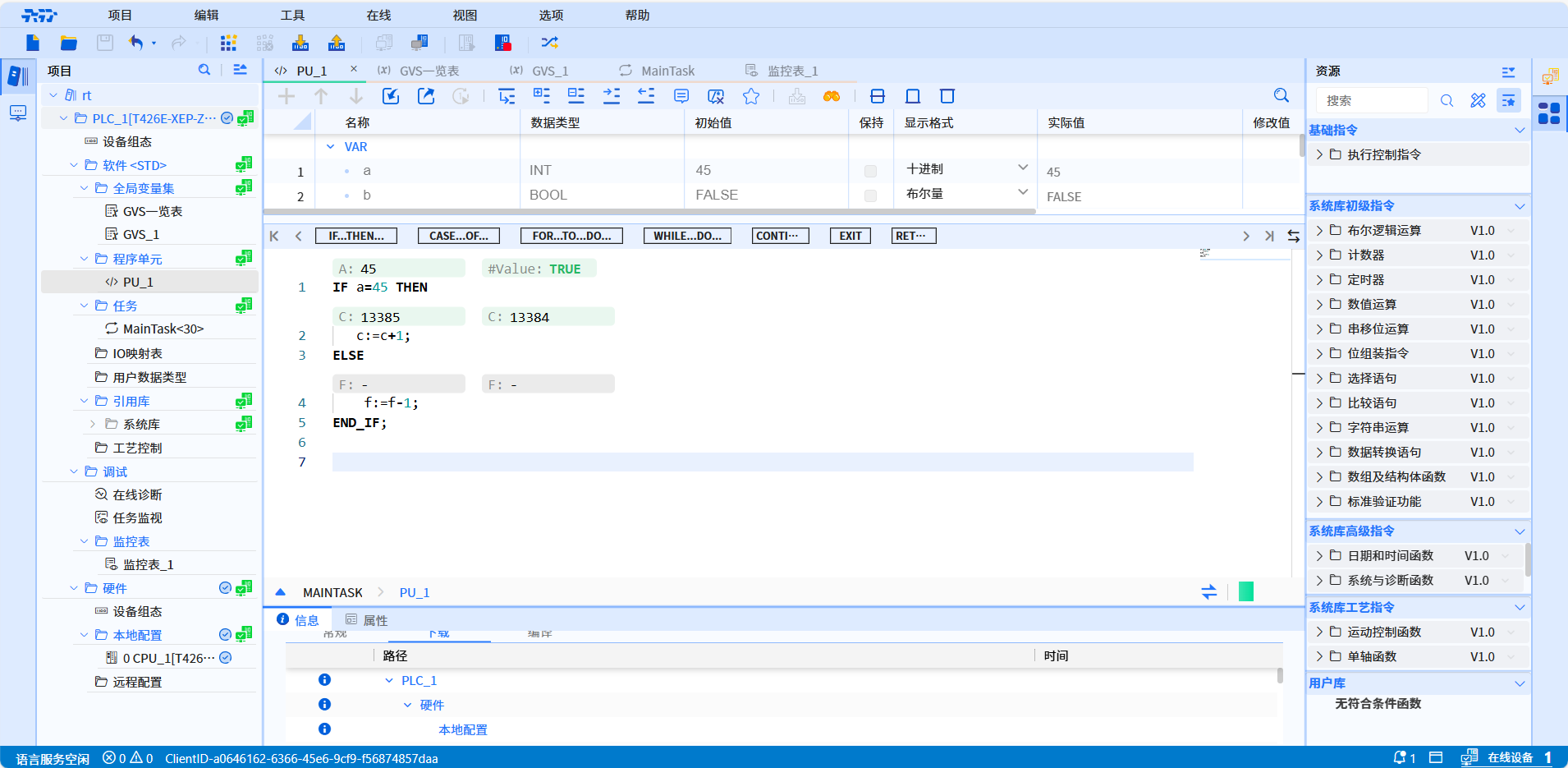
Describe: IF...THEN...ELSE... is an if conditional branch statement that is used to determine whether the condition is true. If it is true, the statement after THEN is executed. Otherwise, the statement after ELSE is executed
-
Grammar:
IF condition THEN
    instructions;
ELSE
    instructions;
END_IF;
- Example:
6.2.3.3 Select IF conditional multi-branch
-
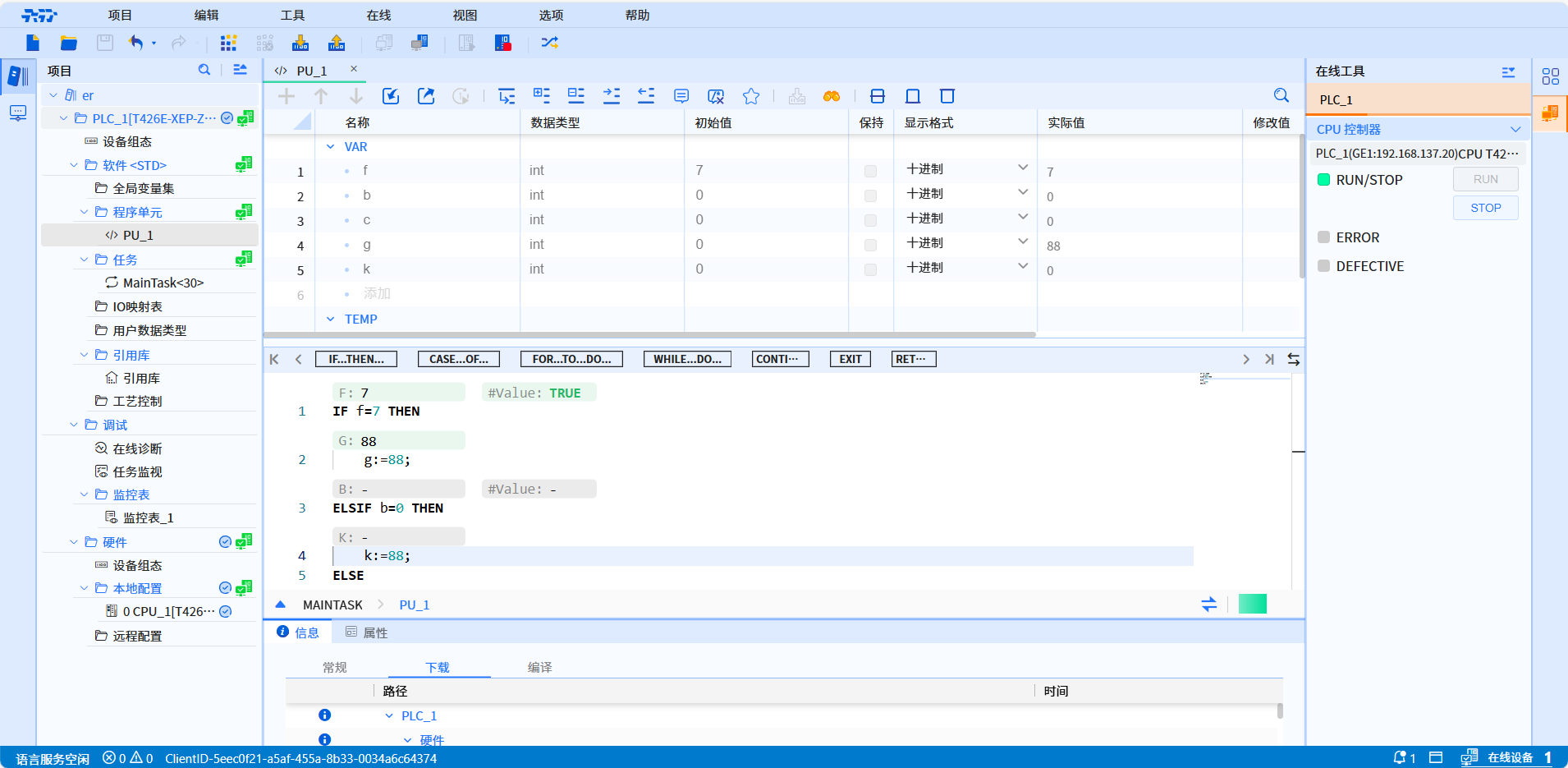
Describe: IF...THEN...ELSIF... is a multi-branch statement that selects if conditions. It is used to determine whether the condition is true. If it is true, the statement after THEN is executed. Otherwise, it is judged whether the condition after ELSIF is true. If it is true, Then execute the statement after ELSIF, otherwise, execute the statement after ELSE
-
Grammar:
IF condition THEN
    instructions;
ELSIF condition THEN
    instructions;
ELSE
    Instructions;
END_IF;
- Example:
6.2.3.4 Select CASE multi-branch
-
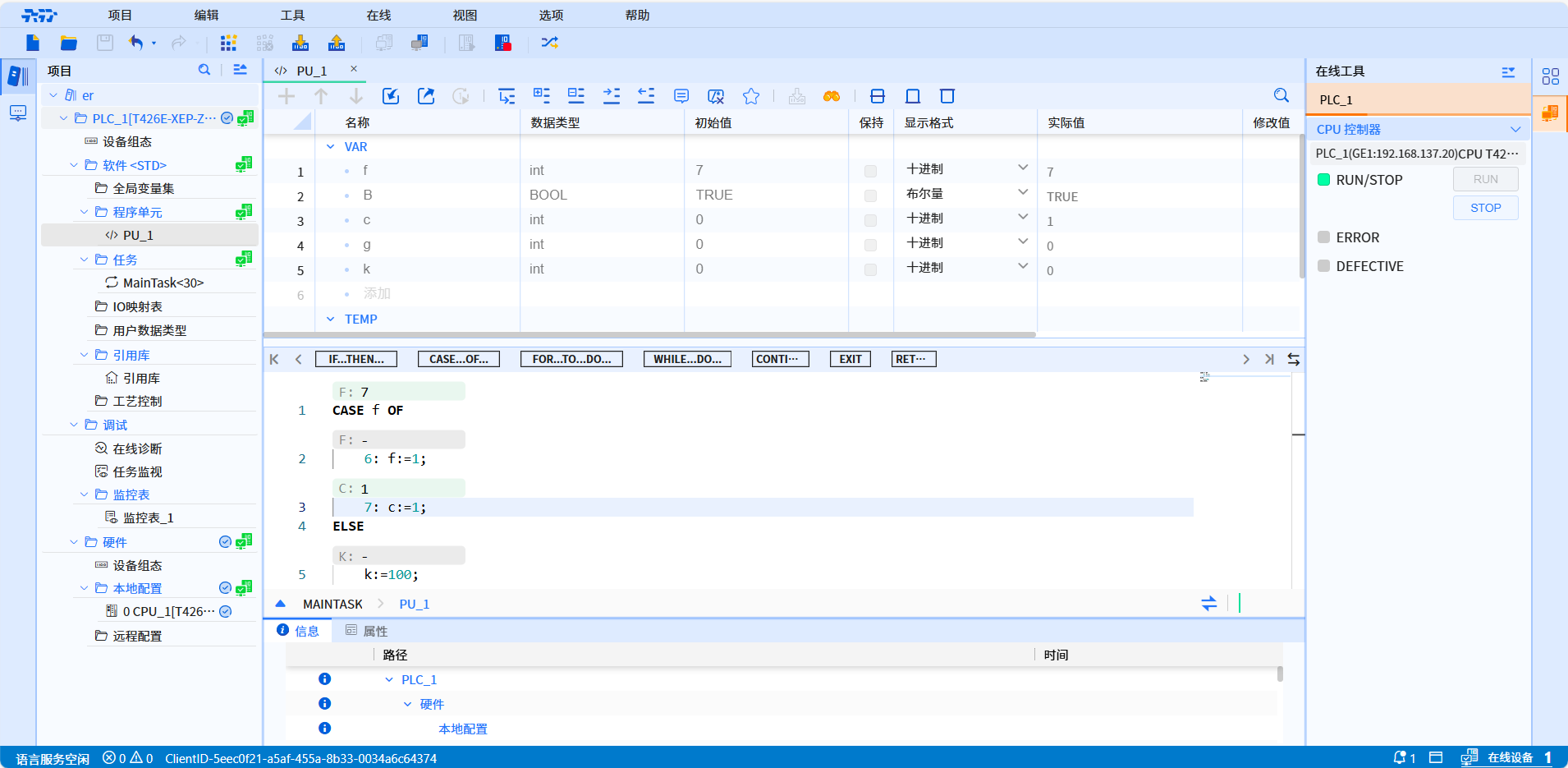
Describe: CASE...OF... is a CASE multi-branch statement that is used to determine whether the value of the expression matches a certain value. If it matches, the corresponding statement is executed
-
Grammar:
CASE Tag OF
    Constant1: Instructions1;
    Constant2: Instructions2;
ELSE
    Instructions0;
END_CASE;
- Example:
6.2.3.5 The step size of the loop statement FOR is 1
-
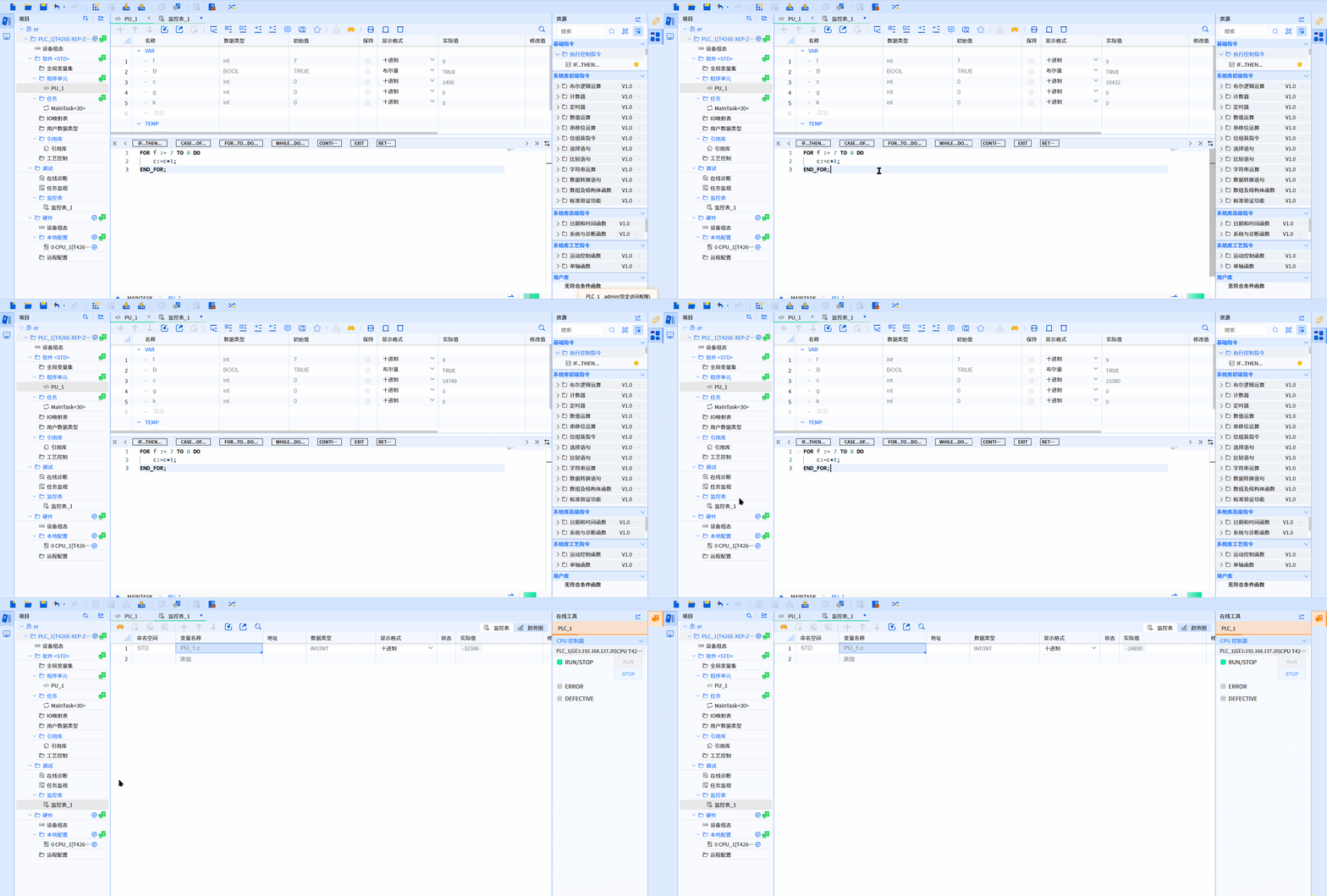
Describe: FOR...TO...DO... is a loop statement with a FOR step size of 1, which is used to execute a specified number of loops
-
Grammar:
FOR Run_tag := Start_value TO End_value DO
    Instructions;
END_FOR;
- Example:
6.2.3.6 Loop statement FOR by step size by
-
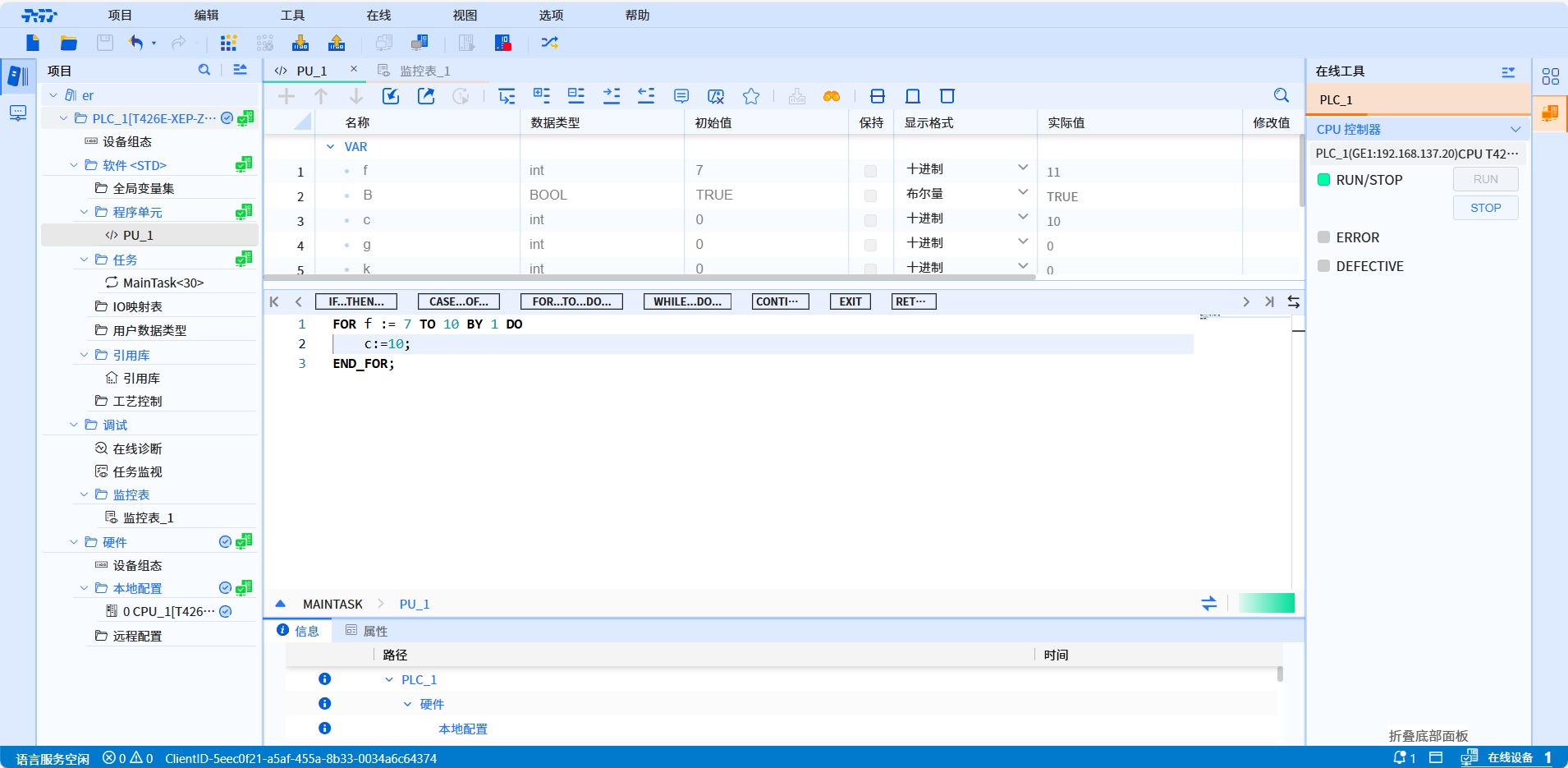
Describe: FOR...TO...BY...DO is a loop statement with a FOR step size of a specified value, used to execute a specified number of loops
-
Grammar:
FOR Run_tag := Start_value TO End_value BY Increment DO
    Instructions;
END_FOR;
- Example:
6.2.3.7 Execute when the loop WHILE meets the conditions
-
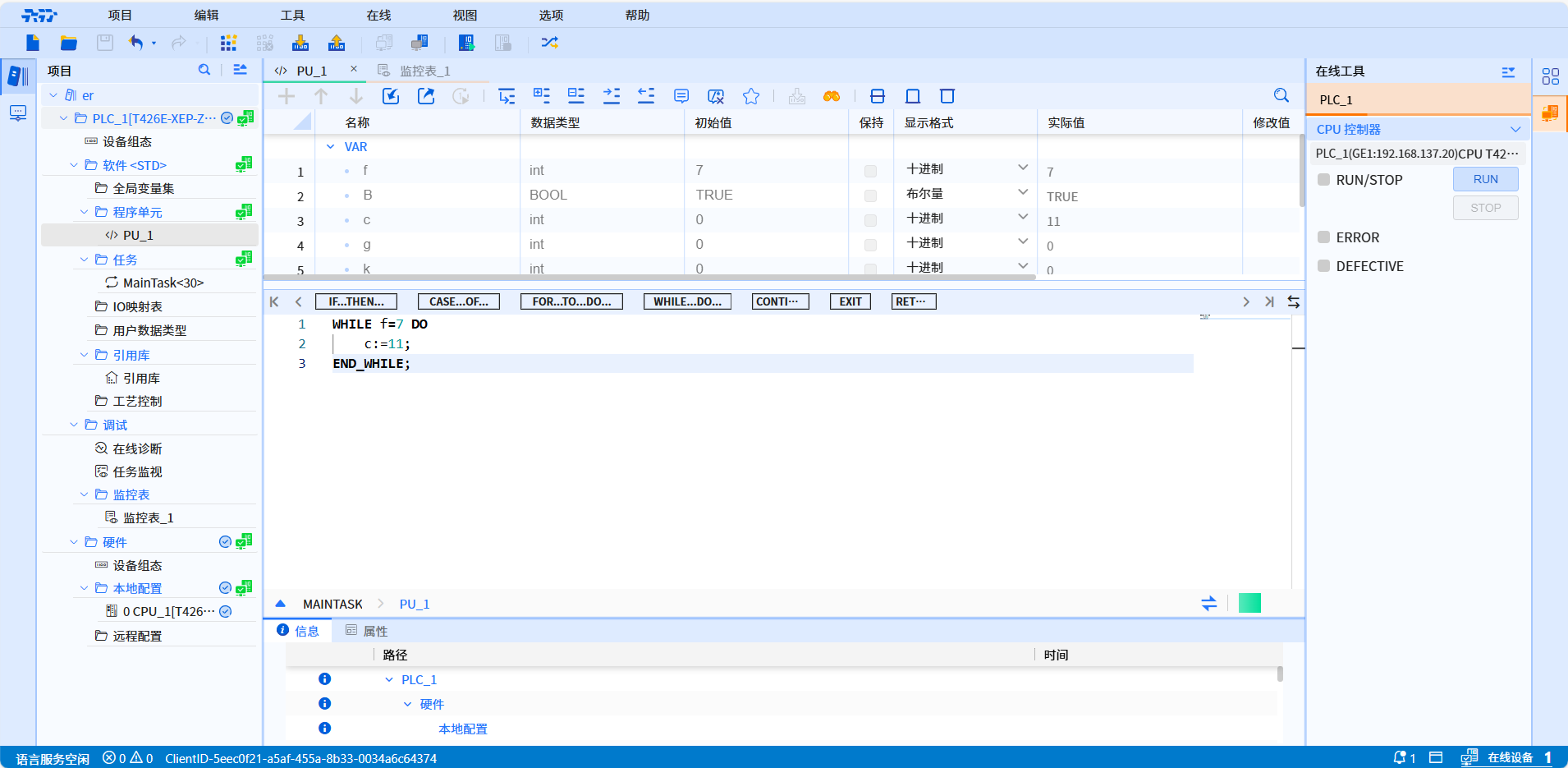
Describe: WHILE...DO... is a loop statement. WHILE loop statement is used to execute a loop until the condition is not true
-
Grammar:
WHILE CONDITION DO
    Instructions;
END_WHILE;
- Example:
6.2.3.8 Execute when the loop REPEAT does not meet the conditions
-
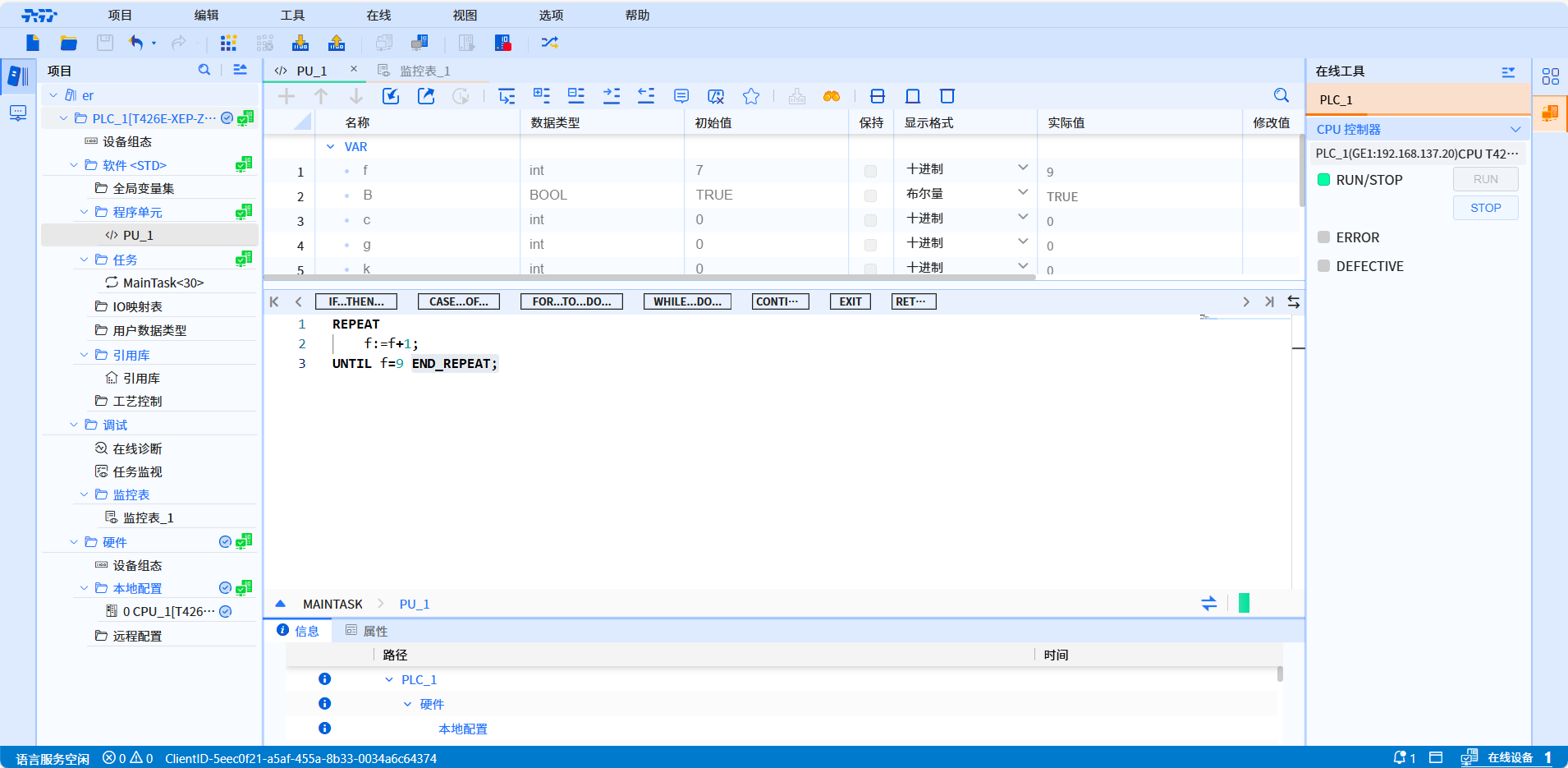
Describe: REPEAT...UNTIL... is a loop REPEAT statement, which is executed when the condition is not met until the condition is established to end the loop
-
Grammar:
REPEAT
    instructions;
UNTIL condition END_REPEAT;
- Example:
6.2.3.9 Go to the next loop
-
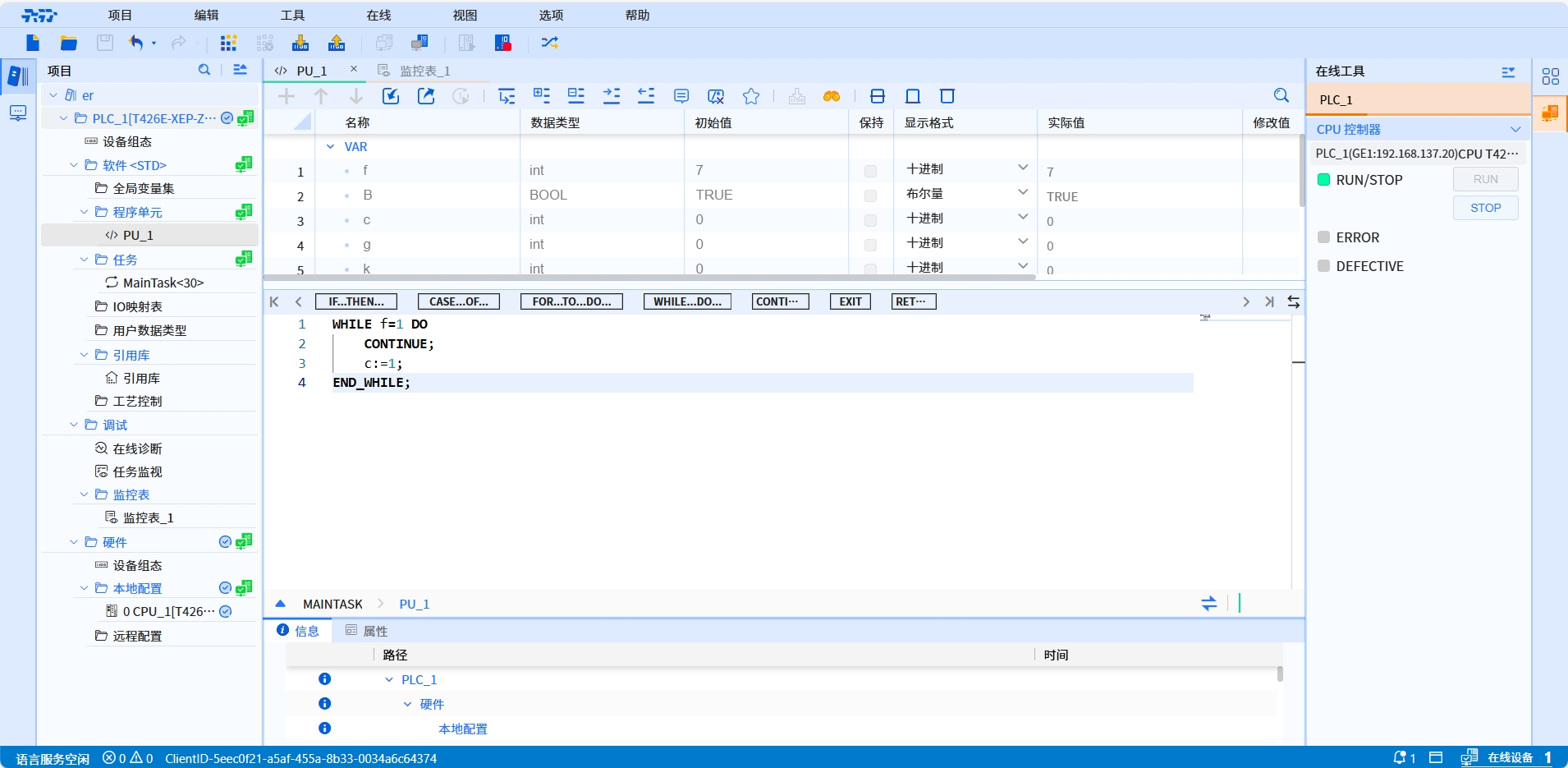
Describe: CONTINUE is to go to the next loop statement, which is used to skip the remaining statements of the current loop and directly enter the next loop
-
Grammar:
CONTINUE;
- Example:
6.2.3.10 Exit the loop immediately
-
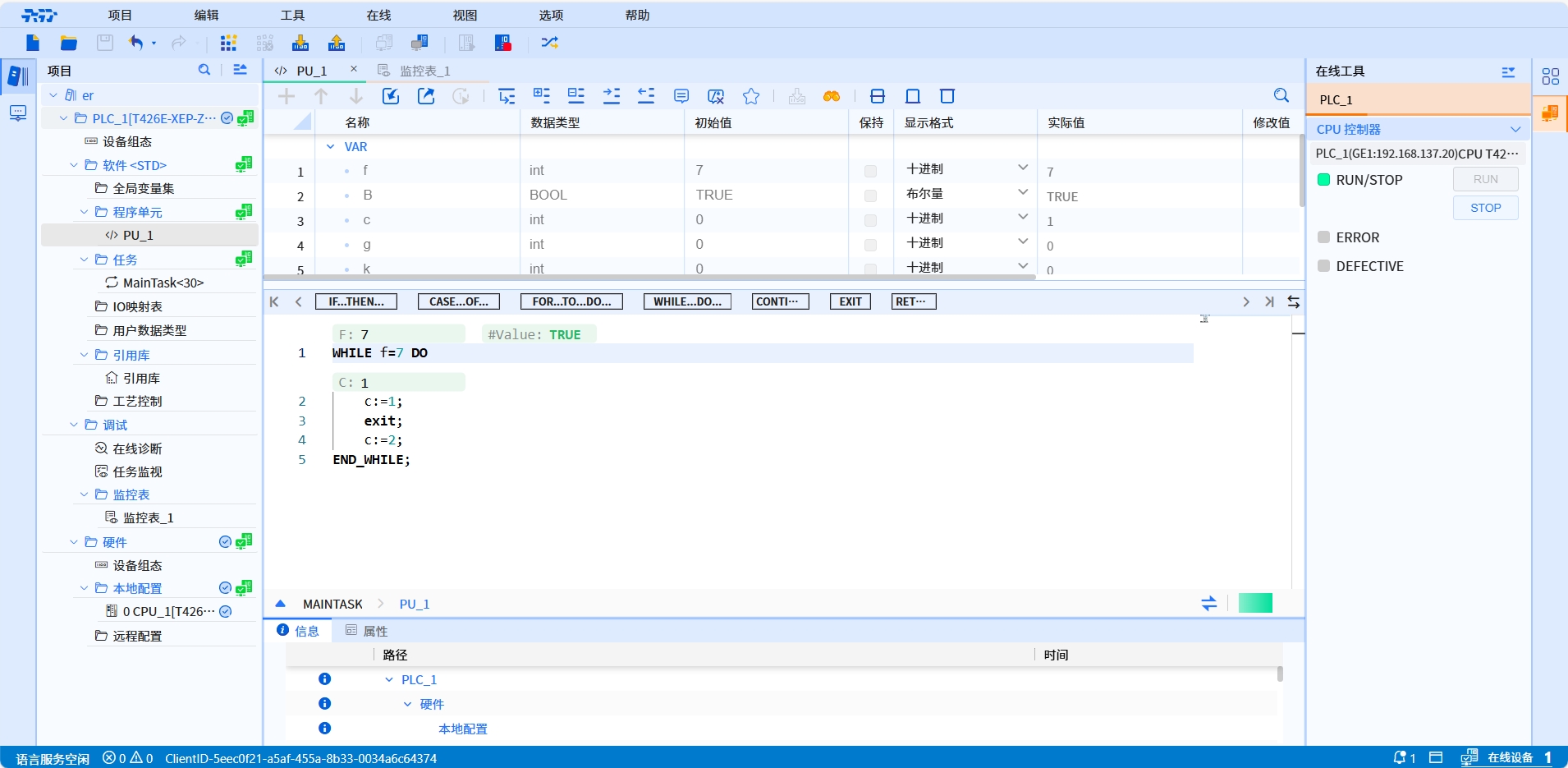
Describe: EXIT is an immediate exit loop statement, used to exit the current loop immediately
-
Grammar:
EXIT;
- Example:
6.2.3.11 Exit this program unit block
-
Describe: RETURN is a function statement to exit this program unit block and is used to exit the current function immediately
-
Grammar:
RETURN;
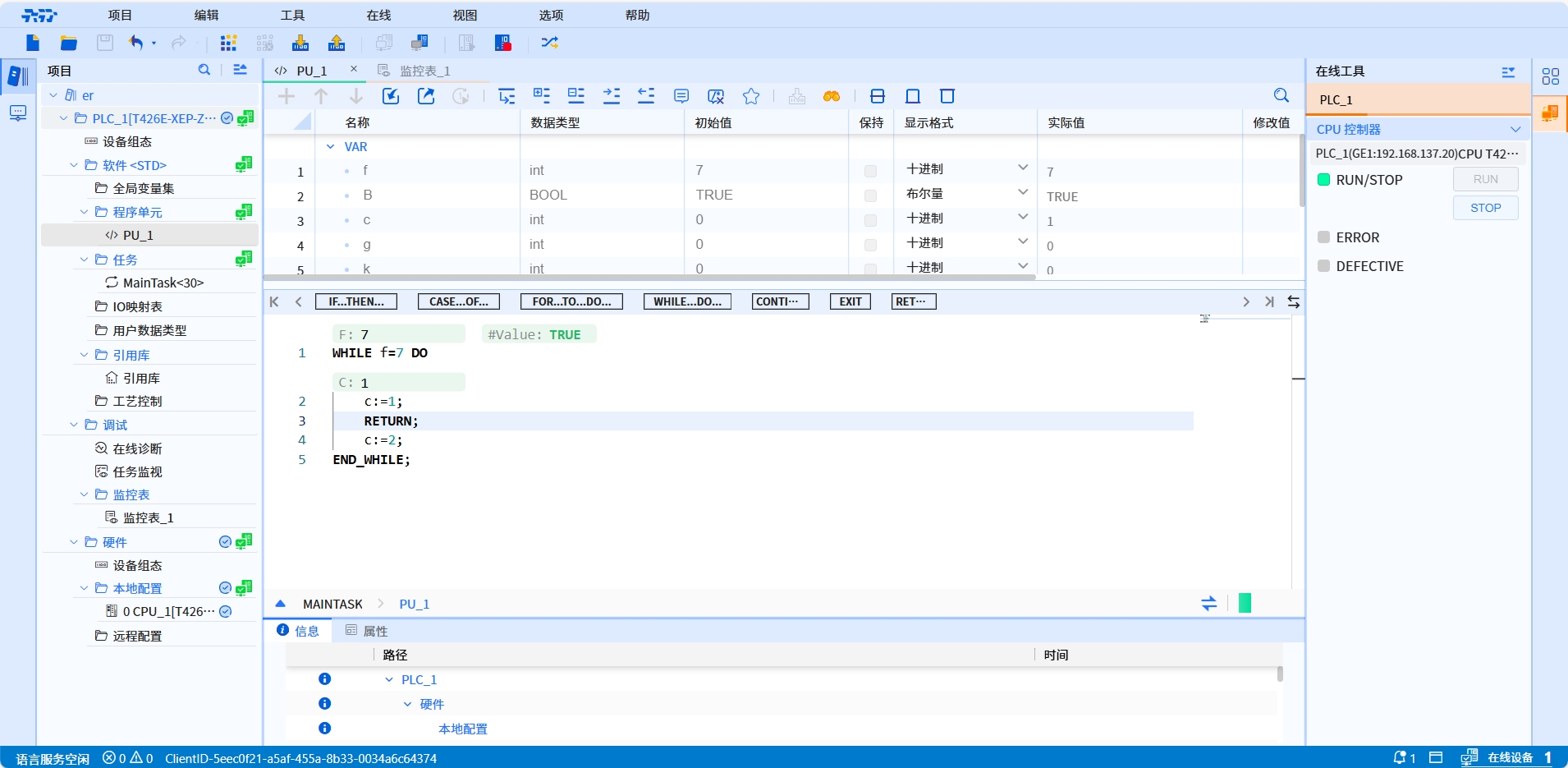
- Example: