7.14.1 RD_L_DT
Function
Use this instruction to read the current local time from the CPU clock and output this time in OUT. When outputting the local time, information about the time zones and start times (which have been set in the configuration of the CPU clock) for Daylight Saving Time and Standard Time are used.
LD graphics
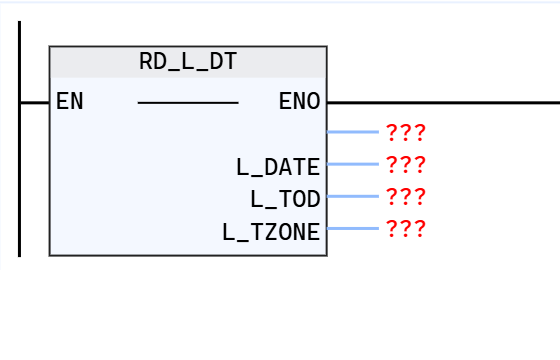
Parameter description
| Interface variables | Declaration | Data type | Description |
|---|---|---|---|
| RD_L_DT | Return value | INT | Return instruction status |
| L_DATE | Out_Put | DATE | Local date |
| L_TOD | Out_Put | TOD | Local date and time |
| L_TZONE | Out_Put | SINT | Local time zone |
Return value: RD_L_DT(...)
Return command status (W#16#....)
illustrate
- 0000 No error.
- 0001 No error, local time output is daylight saving time.
- FF00 Unable to read local time.
- FF01 The current local date cannot be saved because it is outside the range allowed by the L_DATE parameter.
- FF02 The current local date cannot be saved because it is outside the range allowed by the L_TOD parameter.
- FF03 The current local time zone L_TZON parameter cannot be saved because it is outside the allowed range (-12 to 11).
- In the program editor, error codes can be displayed as integers or hexadecimal.
Example
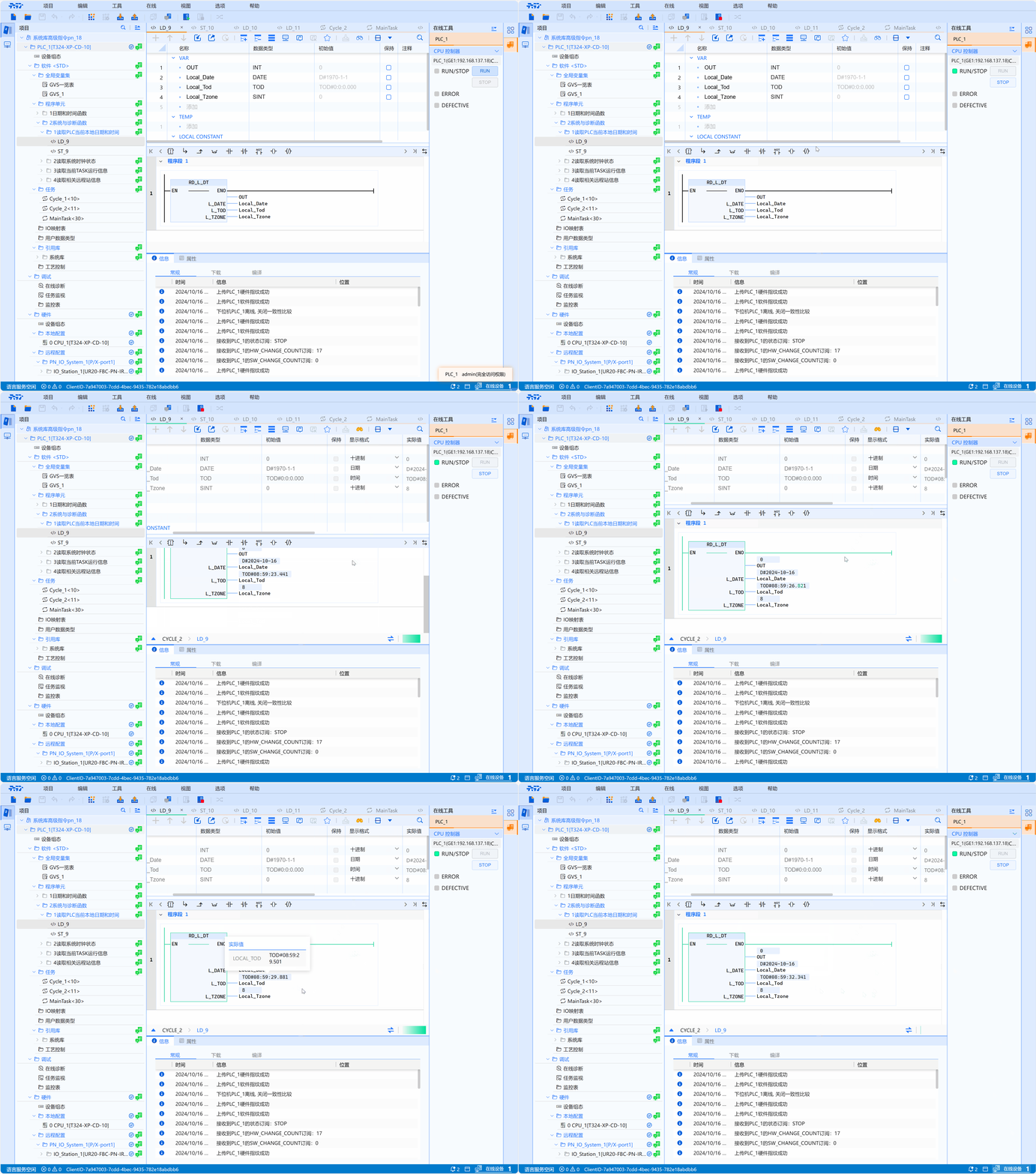
- An LD example is shown in the following animation:
- ST example is shown in the following code:
Definition reference:
Local_Date:DATE;
Local_Tod:TOD;
Local_Tzone:SINT;
OUT:INT;

Code implementation:
OUT:=RD_L_DT(L_DATE=>Local_Date,L_TOD=>Local_Tod,L_TZONE=>Local_Tzone);