7.14.4 RD_STATIONINFO
Function
Enter the control parameter REQ and the hardware identification code HWID_CODE of the remote station. If REQ is 1, start the information reading operation and obtain the remote station information (instruction execution process status, instruction execution error status, status parameters of the remote station).
LD graphics
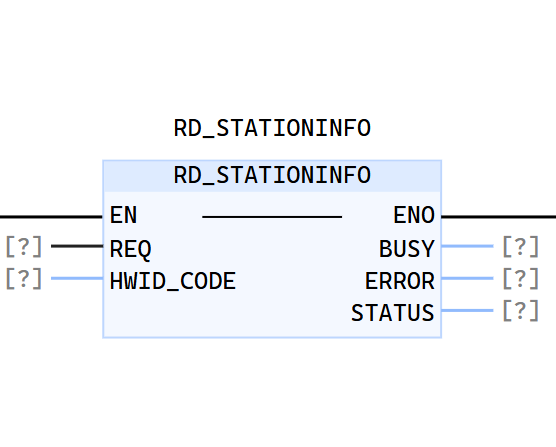
Parameter description
| Interface variables | Declaration | Data type | Description |
|---|---|---|---|
| REQ | In_Put | BOOL | Control parameter Request Use REQ = "1" to start the information reading operation. |
| HWID_CODE | In_Put | LWORD | The hardware identification code of the remote station. This number is derived from the properties of the remote IO station in the project tree. |
| BUSY | Out_Put | BOOL | Instruction execution process status, "0": instruction execution is completed, "1" instruction execution has not been completed. |
| ERROR | Out_Put | BOOL | Instruction execution error status, "0": no error, "1" an error occurred during instruction execution. |
| STATUS | Out_Put | INT | Status parameter of the remote station, "0": The remote station status is normal, "FF01": The remote station cannot be accessed, "FF02": There is a module failure in the remote station. |
Example
- An LD example is shown in the following animation:
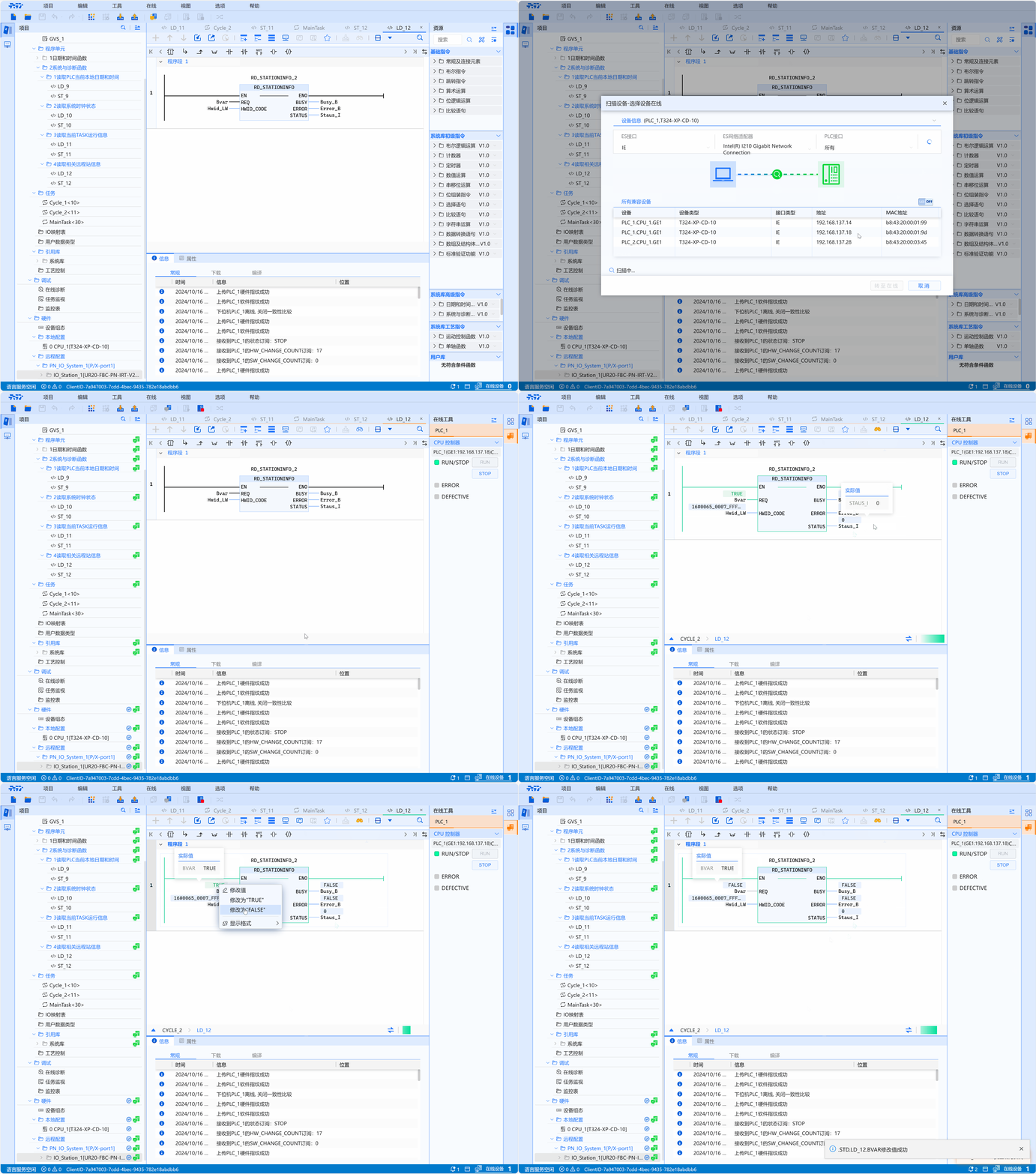
- ST example is shown in the following code:
Definition reference:
Bvar:BOOL;
Hwid_LW:LWORD;
Busy_B:BOOL;
Error_B:BOOL;
Staus_I:int;

Code implementation:
RD_STATIONINFO_1(
    REQ:=bvar,
    HWID_CODE:=Hwid_LW,
    BUSY=>busy_B,
    ERROR=>Error_B,
    STATUS=>Staus_I
);