5.1 Hardware Configuration
- Hardware configuration is the process of configuring PLC and related hardware. Through simple operations, users connect PLC, input and output modules, communication modules and other hardware components according to actual needs, and set the corresponding parameters and addresses. to achieve specific control functions. This process is sometimes called "secondary development" because users can flexibly select and configure hardware modules according to specific application scenarios and needs.
5.1.1 PLC equipment hardware configuration
premise
- Create a project
5.1.1.1 Add PLC device
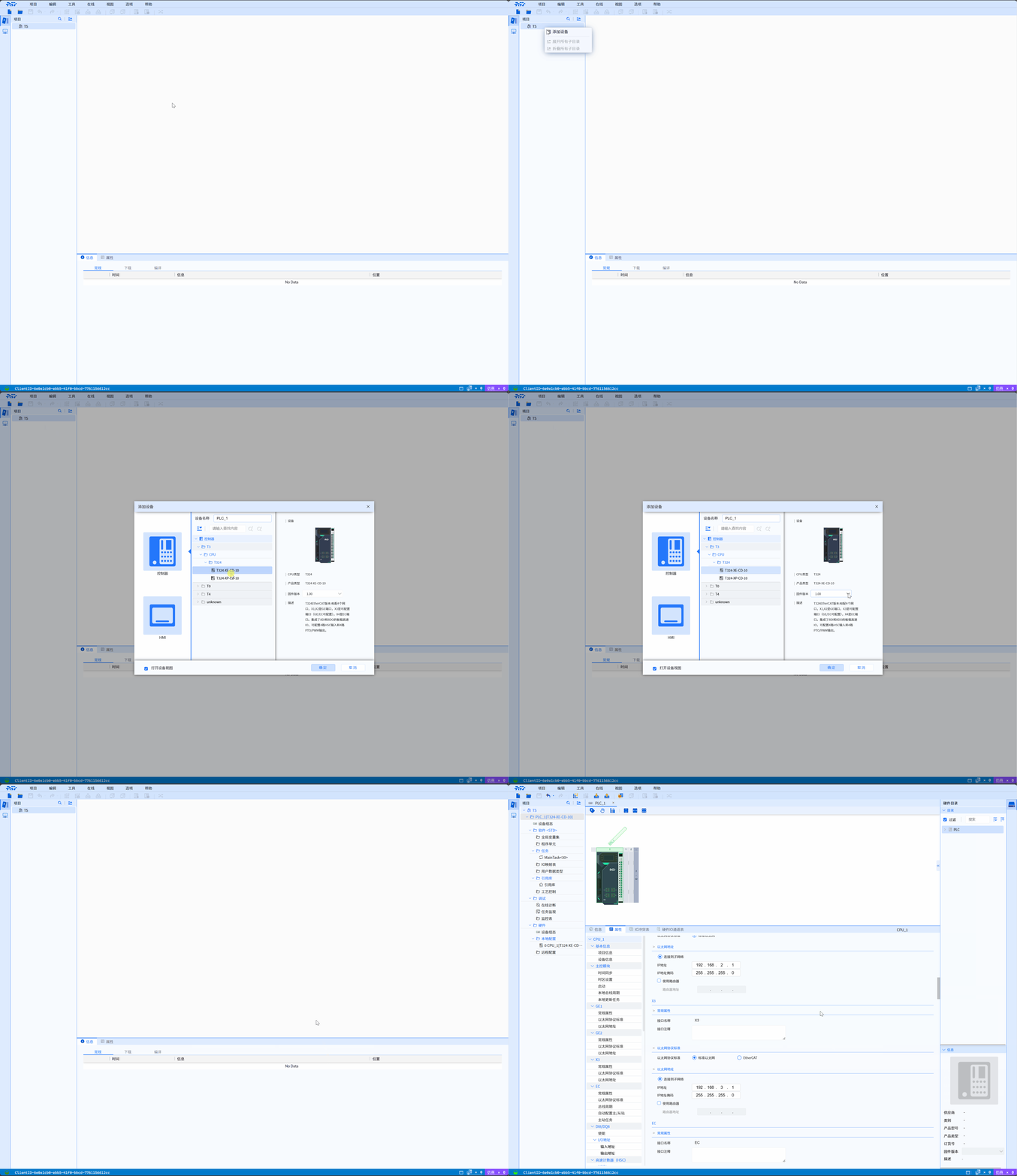
- Right-click the Project tree, select Add Device in the submenu, click Controller>CPU, and select the target model device in CPU, Select the corresponding firmware version and click the Confirm button to complete the addition of the device
NOTE
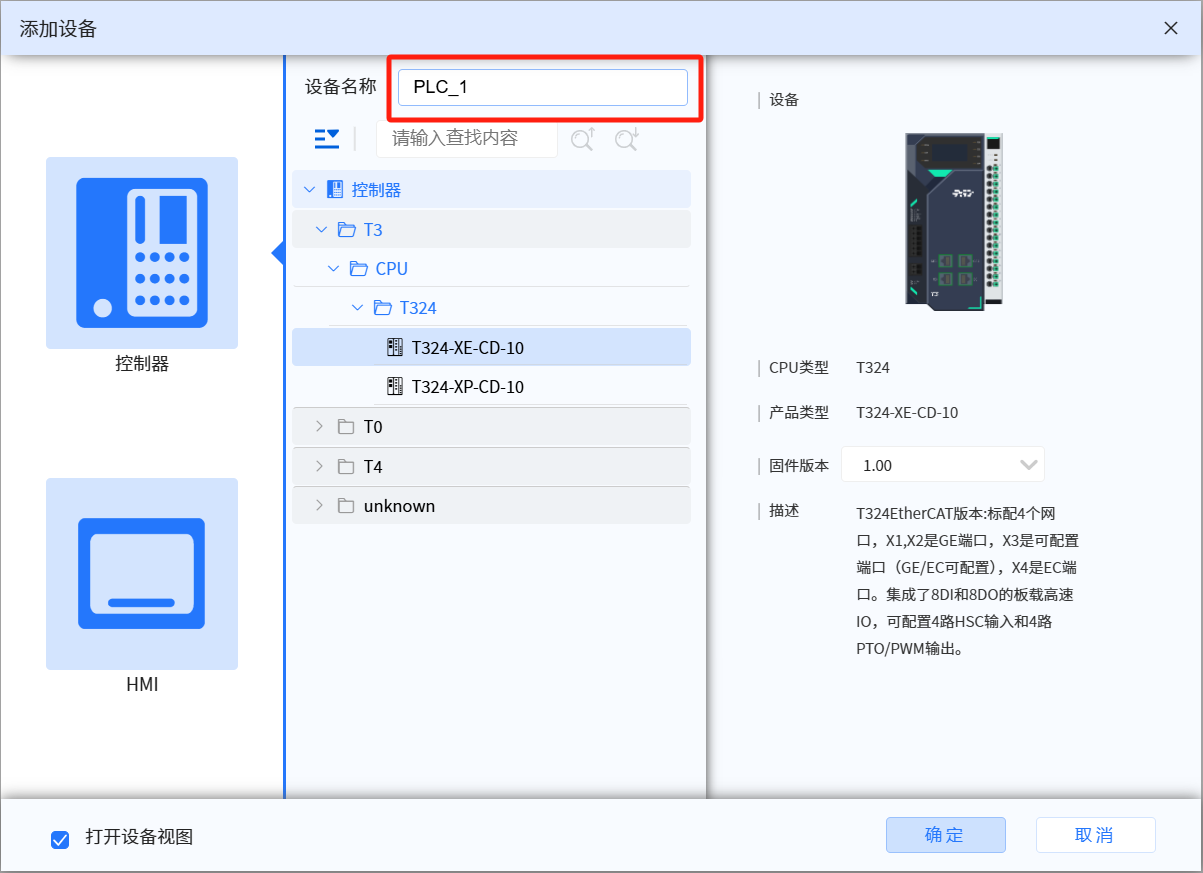
- The name of the device can be noted in the device name
NOTE
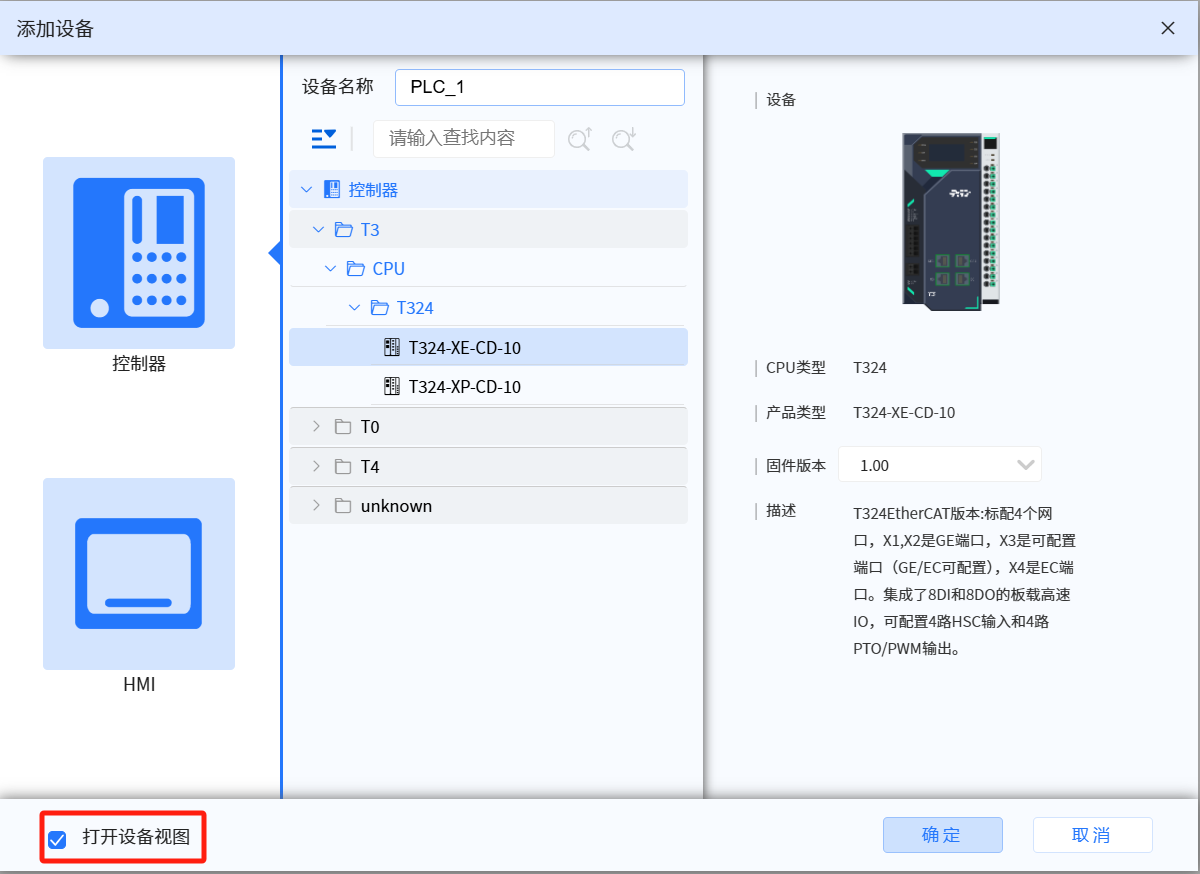
- Check Open device view, and the device view will be expanded and displayed after the creation is completed.
5.1.1.2 Add local IO module to T3 device
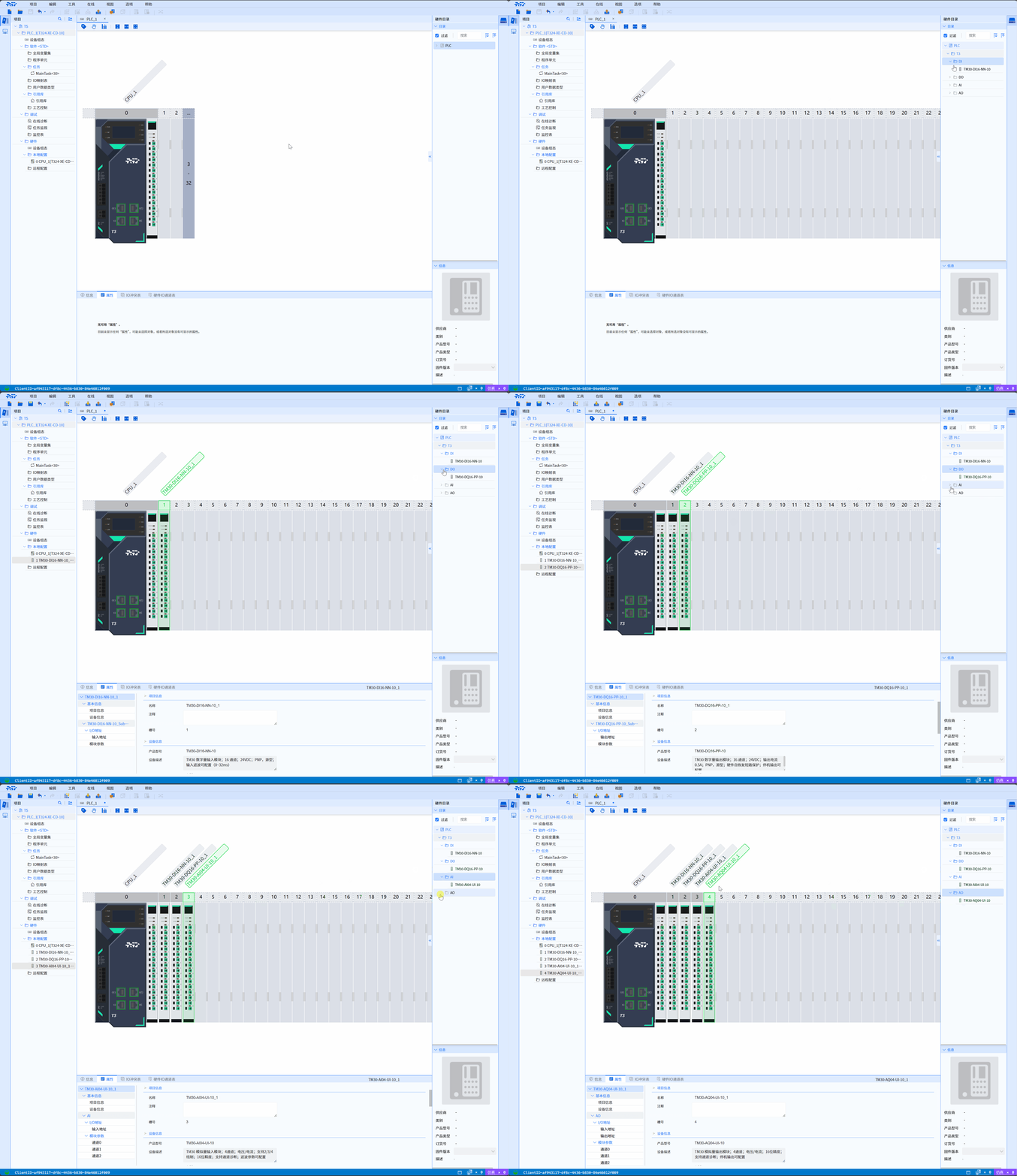
- Drag and drop the IO module in the hardware directory to the local IO module slot of the T3 device to complete the addition of the local IO module
5.1.2 Remote IO station equipment hardware configuration
5.1.2.1 Add remote IO station
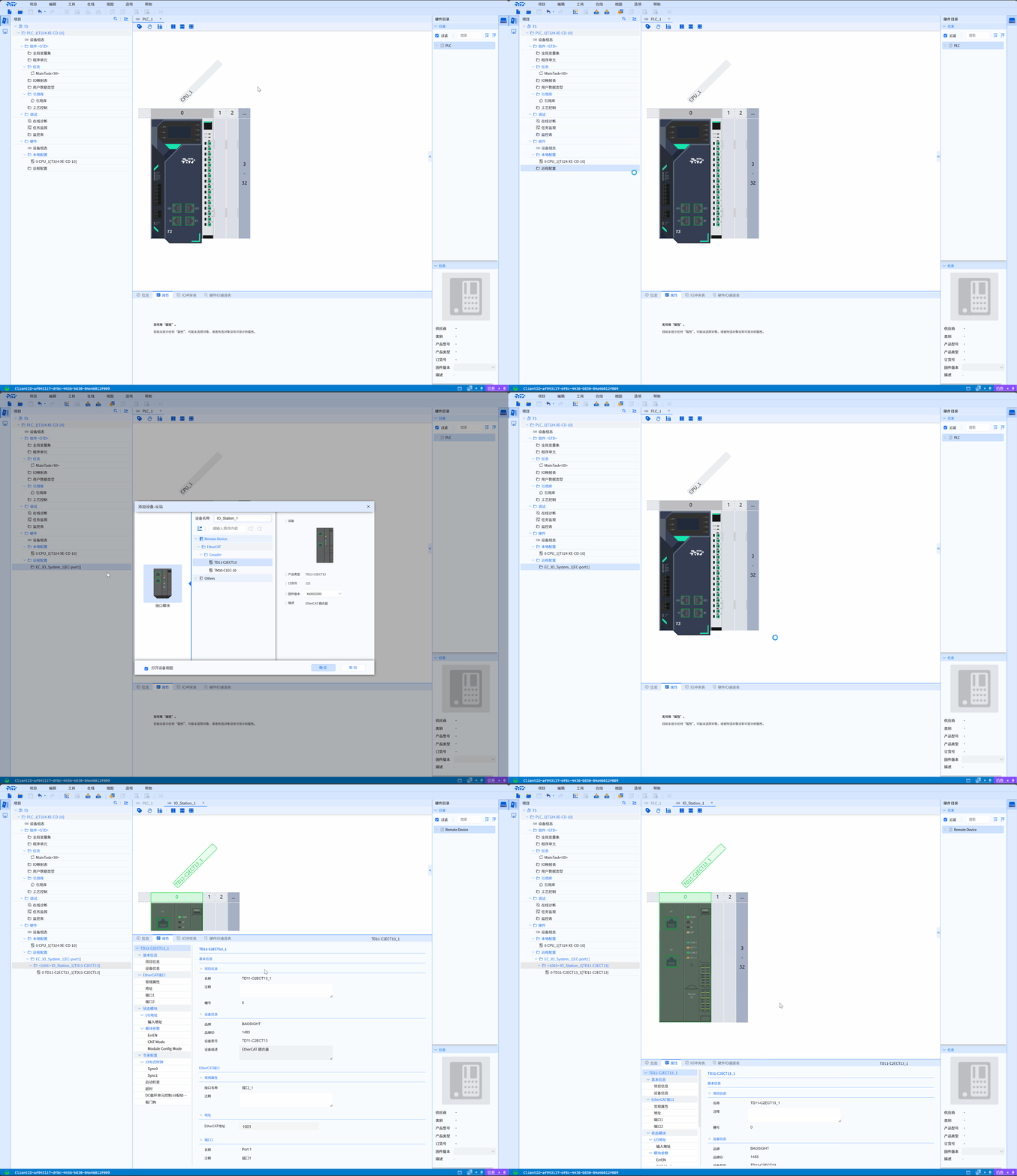
- Find the Remote Configuration column in the Project tree, right-click the Remote Configuration column, and select Add EC/PN Master Station>EC-port1(where EC-port1 is the corresponding EC communication interface of the PLC device, please select it according to the actual connection situation), and complete the addition of EC/PN Master. Right-click the EC_IO_System_1/PN_IO_System_1 column, select Add slave station in the submenu, select the corresponding model of slave, and add the slave station.
5.1.2.2 Add IO module to the remote IO station
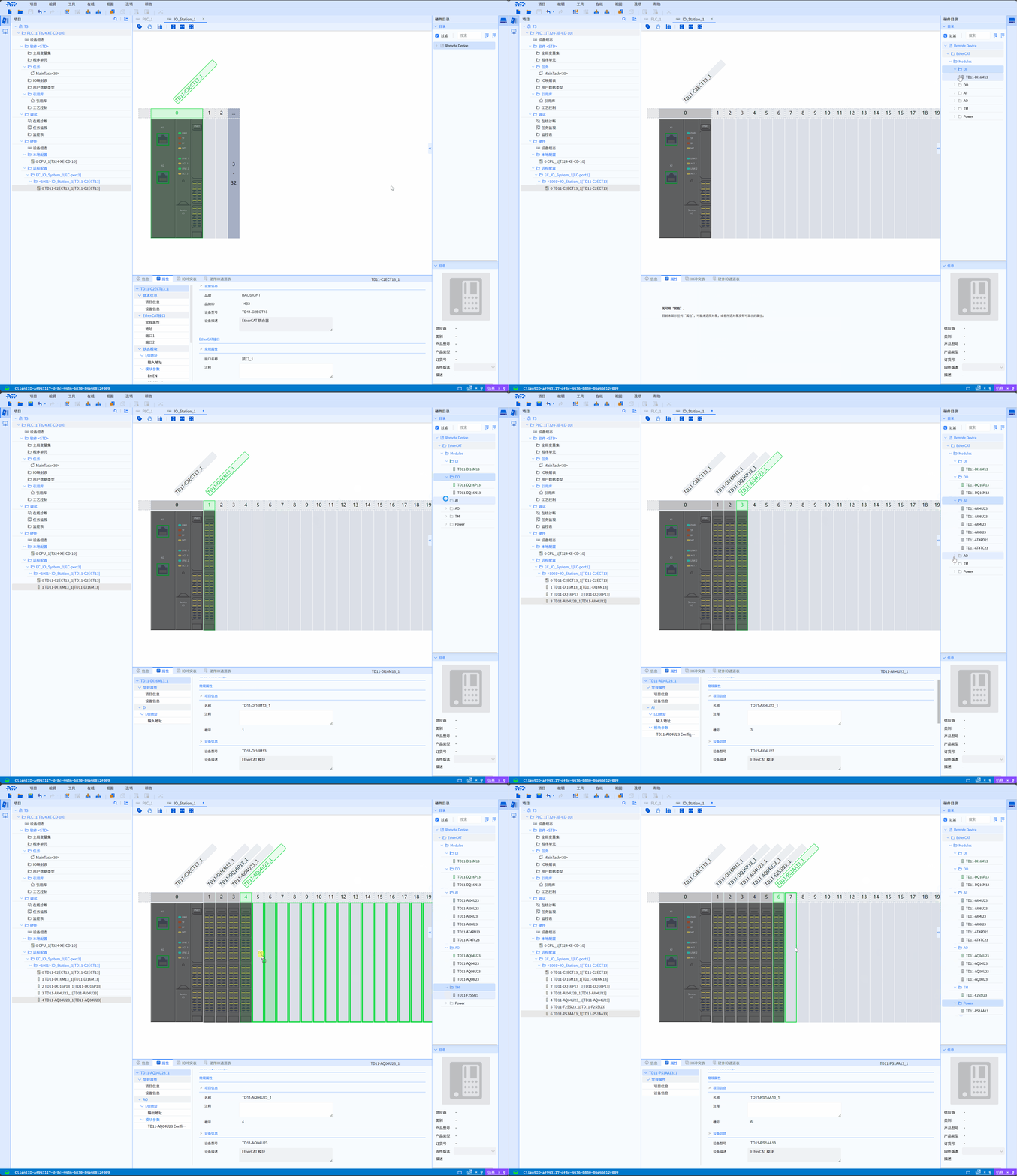
- Drag and drop the IO module in the hardware directory to the IO module slot of the remote IO station to complete the addition of the remote IO station module
5.1.3 Notes on hardware configuration
- Ensure Hardware Compatibility: When selecting hardware modules, it is recommended to pay attention to the compatibility between them. Hardware modules of different brands and models may not be able to communicate or work directly with each other, so product manuals and technical specification sheets need to be carefully checked.
- Set reasonable parameters: The setting of hardware parameters has a great impact on the performance and stability of the system. Users need to set parameters appropriately according to actual needs, such as the type of input and output signals, sampling period, etc.
- Ensure control word reset: If the hardware configuration contains a TM30-PO module, the user programming should check the slave status, and if the slave is abnormal, the user should reset the control word of the PO module.