7.15.5 TCON
TCON (Establish communication connection)
Function
- TCON is used to establish a TCP connection asynchronously. This instruction is executed asynchronously and has the following functions: Set up and establish a communication connection
Set up and establish communication connections
-
After the user configures the correct IP address and port number in the connect block, set the REQ parameter to true to enable the connection function and establish a communication connection
-
The correct connection process requires first giving a rising edge to the req pin of the passively connected party, and then giving a rising edge to the req pin of the actively connected party. You can see that the status words in the TSEND_C and TRCV_C blocks change from 0x7002 (connection is being established) → 0x7004 (already established), indicating that the connection has been established successfully
-
After the connection is established, if the peer actively disconnects at this time, the status code will change from 0x7004 (already established) → 0x7002 (connection being established)
-
If the ActiveEstablished parameter is set to true in the TCP_ConnectConfig block, that is, it is currently the client, then after giving the req pin a rising edge, the current connection status will be detected every time the TCON function block is executed. If the current connection fails, each Cycle attempts to establish a connection;This can be seen by capturing the packets (first send a RST message to release the socket, and then send a SYN message to establish a connection)
LD graphics
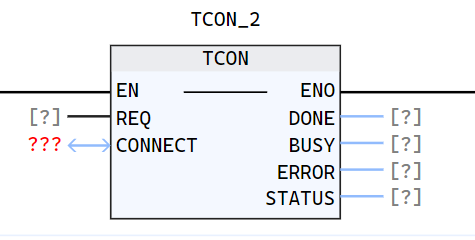
Parameter description
| Interface variables | Declaration area | Data type | Description |
|---|---|---|---|
| REQ | Input | BOOL | The connection is established only when the rising edge is recognized |
| CONNECT | InOut | TCP_ConnectConfig | Function block instance for configuring connection parameters, refer to TCP_Connectconfig |
| DONE | Output | BOOL | State parameter with the following possible values: 0: The connection function has not been started or is still in progress 1: The connection function has been successfully executed. This status will only show for one cycle |
| BUSY | Output | BOOL | State parameter with the following possible values: 0: The connection function has not yet been started or has been completed 1: The connection function has not yet been completed |
| ERROR | Output | BOOL | State parameter with the following possible values: 0: No error 1: Connection function error |
| STATUS | Output | WORD | The status of the current function execution process |
Status code description
| TATUS(WORD 16#) | Description |
|---|---|
| 0000 | Uncalled |
| 7002 | Establishing communication connection |
| 7004 | Connection successfully established |
| The following are exception status codes | Description |
|---|---|
| 8080 | Failed to create socket, insufficient system socket resources |
| 8081 | The IP address is incorrect for the following reasons: The IP address corresponding to LocalAddress does not exist, i.e., LocalAddress does not match the IP of all the PLC network ports; The PLC network corresponding to the currently used LocalAddress The port protocol is not Ethernet protocol; The current LocalAddress value is 0.0.0.0; |
| 8082 | Setting IP address and port number reusability errors |
| 8083 | Bind address, port number and socket failed. The main reason is that the current port is already occupied by other services. It is recommended to change other ports |
| 8084 | Failed to add the server socket to the EPoll listening queue |
| 8086 | Failed to receive new connection |
| 80A0 | Client failed to connect to server |
| 80AC | Asynchronous function enqueue failed |
Example
- LD example is shown in the following animation:
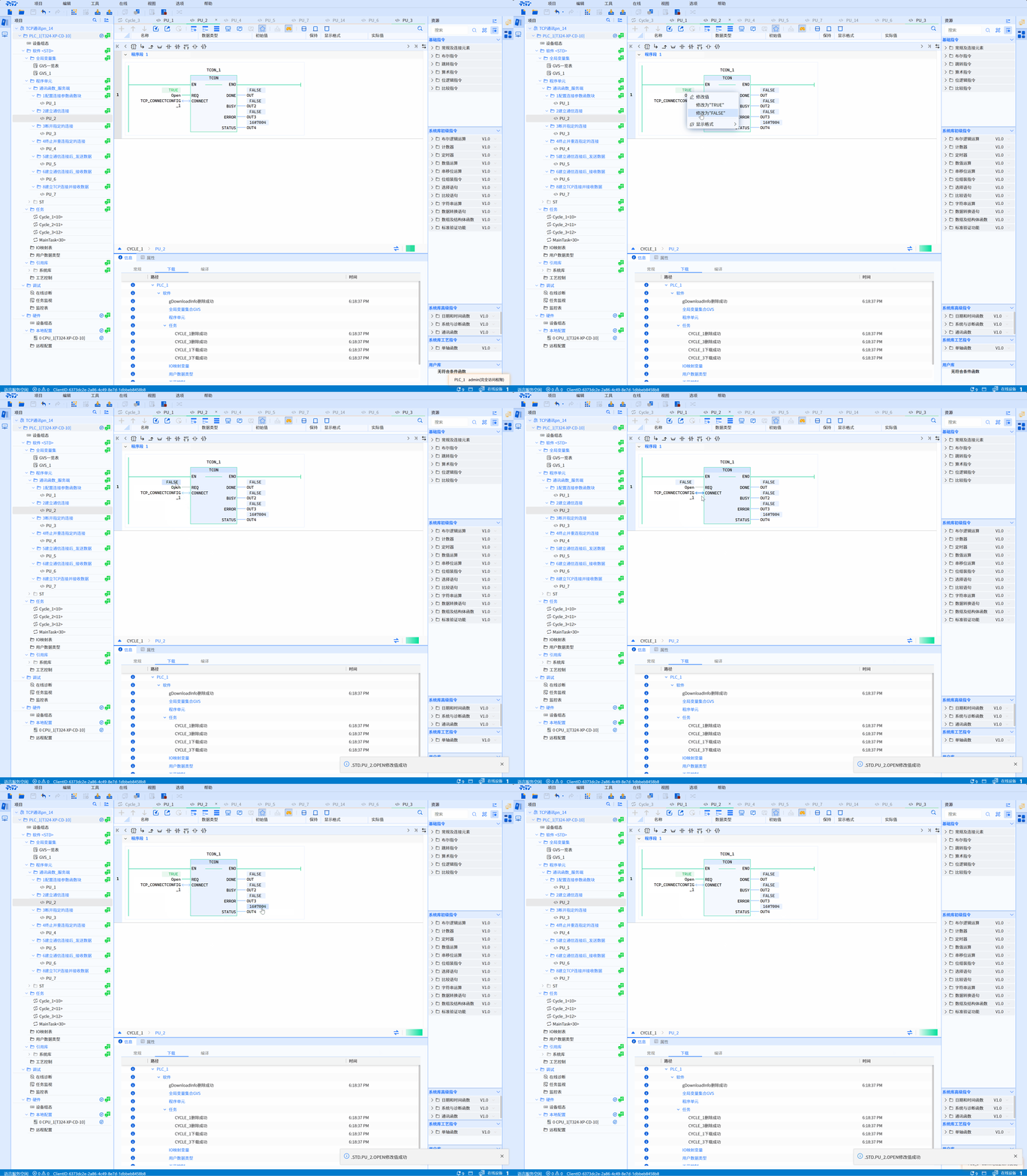
- ST example is shown in the following code:
TCON_1(
    REQ:=Open,
    CONNECT:=TCP_CONNECTCONFIG_1,
    DONE=>OUT,
    BUSY=>OUT2,
    ERROR=>OUT3,
    STATUS=>OUT4
);