13.2 Tune
13.2.1 Tuning toolbar
- The buttons are as shown below

- The relevant button explanations are shown in the figure below
| Button | Description | Function description | Notes |
|---|---|---|---|
 | Enable | Enable debugging function | When entering the debugging interface for the first time, only the "Enable" button is active status The tuning can only be successfully enabled when the following conditions are met at the same time: PLC is in stop state; IDE is online; the axis is configured as a real axis and is associated with a servo device |
 | Execute | According to the debugging configuration, execute the debugging item | The enabled axis is to perform other debugging premise of the item |
 | Stop | Stop the ongoing tuning item | Execute the "speed control" tuning item, motor It will not stop by itself, user need to click the stop button to stop this tuning item |
 | Reset | Fault reset |
13.2.2 Tuning state area
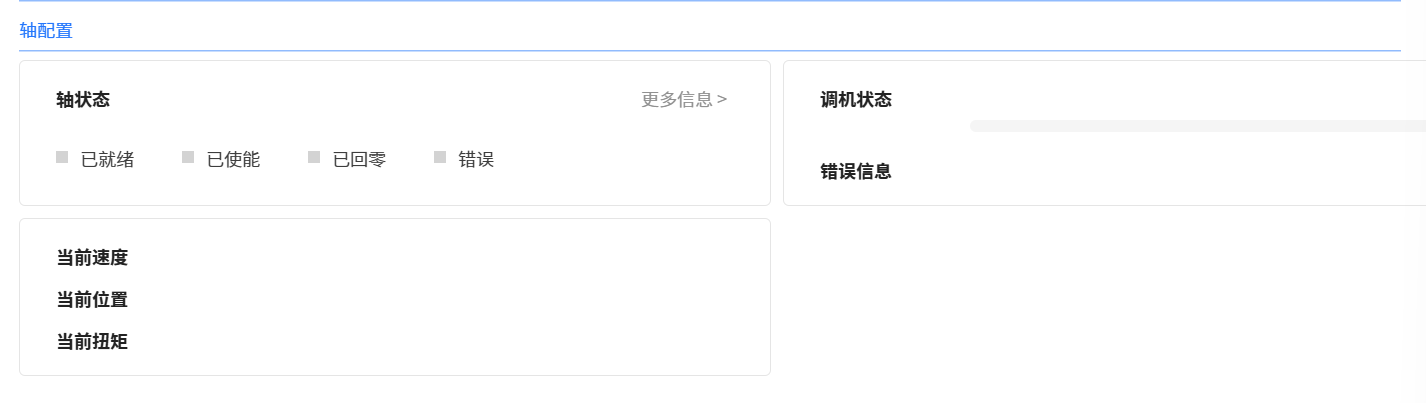
- The status area is as shown below
-
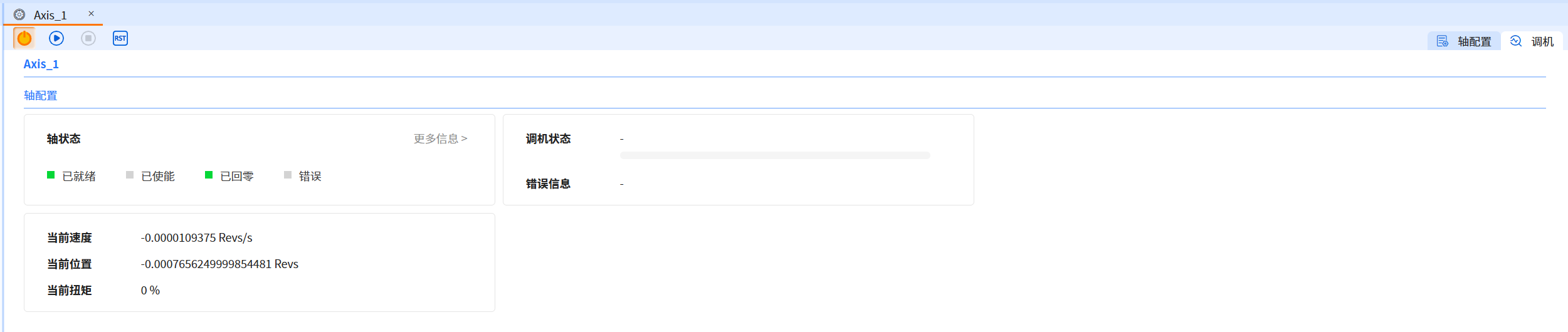
The tuning status area takes effect after the tuning is enabled, allowing user to monitor the axis status (enabled, zeroed and error, etc.), motion status (current speed, current position and current torque) and machine tuning during the tuning process Progress (in progress, success, failure, timeout), etc. Click "More Information" to view more information about the tuning process
-
As shown in the figure below, user can see the changes in the status area when the axis is executing
13.2.3 Tuning configuration area
- The configuration area is shown in the figure below
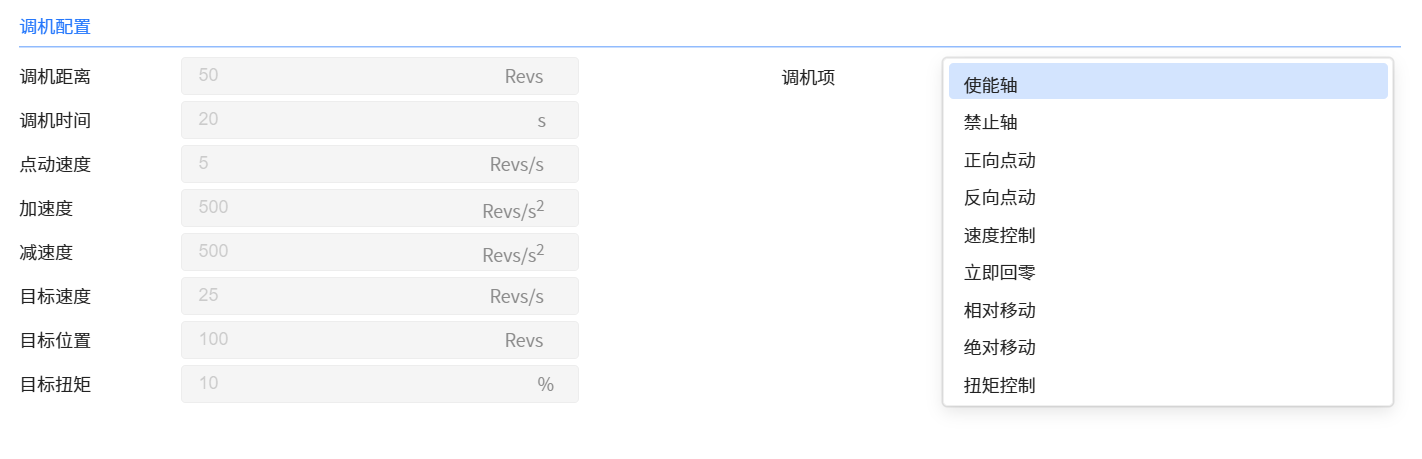
- The tuning configuration area takes effect after the tuning is enabled, allowing user to configure the parameters required for the execution of the tuning item. Ensure efficient, safe, and stable operation of equipment and systems
- For example: Forward jog and reverse jog as well as tuning time need to configure the tuning distance and jog speed. Baosky IDE will download these configurations before triggering forward jog or reverse jog. The debugging time is used to determine the timeout of the debugging item execution. If the debugging time is configured to be short and the actual execution time of the debugging item is long, a debugging timeout error may be triggered during the debugging process (and the current debugging item will end)
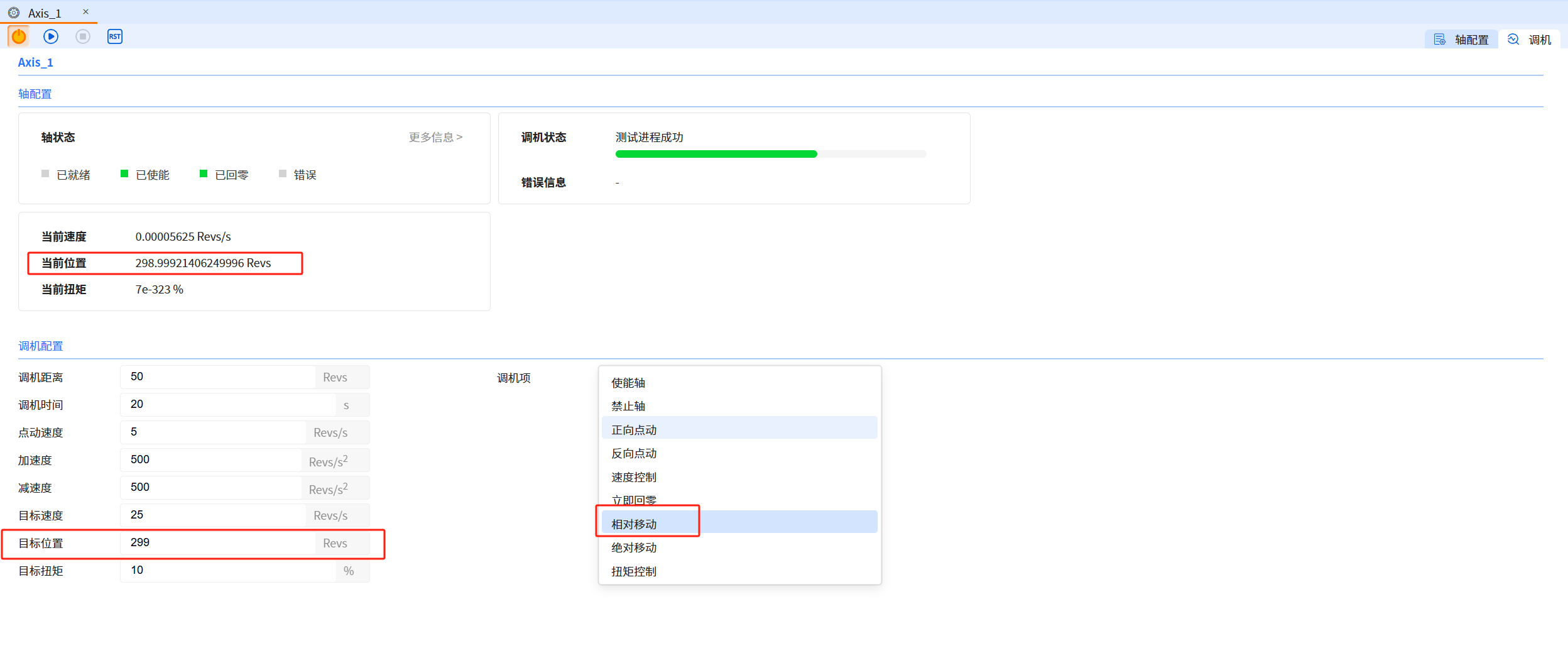
- As shown in the picture below, the target position is adjusted to 299Revs

- Execution results:
warning
- Baosky IDE only supports single-axis tuning, if there is already an axis to start tuning, other axes will be prompted to enable tuning will fail
- Closing the tuning interface during tuning interrupts the current tuning item and disables the axis
- Switching the PLC state (running) during the commissioning process will interrupt the current commissioning items and prohibit the axis
- The setup time setup time is only for forward pointing and reverse pointing
- Immediate return to zero is performed before absolute movement is executed