9.1 Scan Network
- The purpose of using the scan network function is to identify and configure PLC devices to ensure that the PLC devices can correctly connect to the network and communicate with other devices. Through this function, users can easily identify and configure PLC devices, and conduct necessary fault diagnosis and test
9.1.1 Scan devices using the network scan function
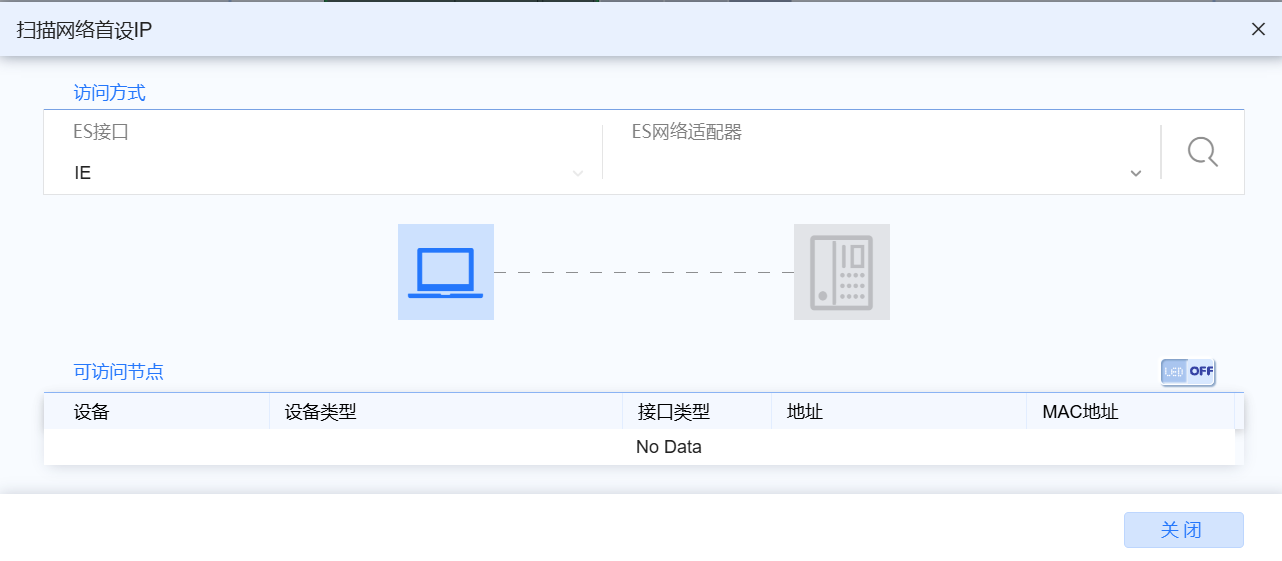
- Users are encouraged to ensure that this network adapter has only one IP on the same network segment as the PLC device to ensure that the required device is scanned correctly
9.1.1.1 Open the Scan Network Window
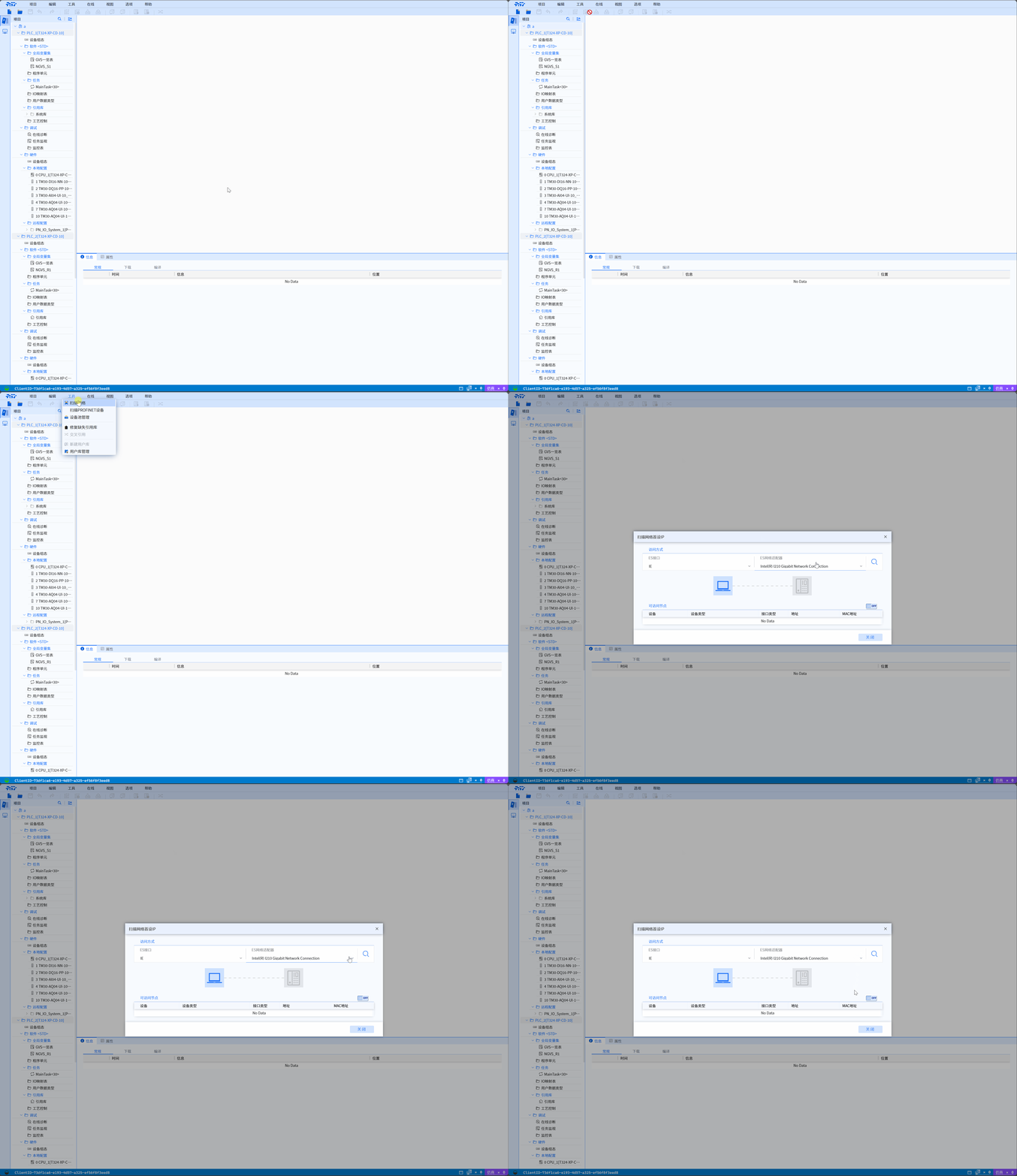
- Open the menu bar and select Tools>Scan Network
9.1.1.2 Select the corresponding network adapter for network scanning
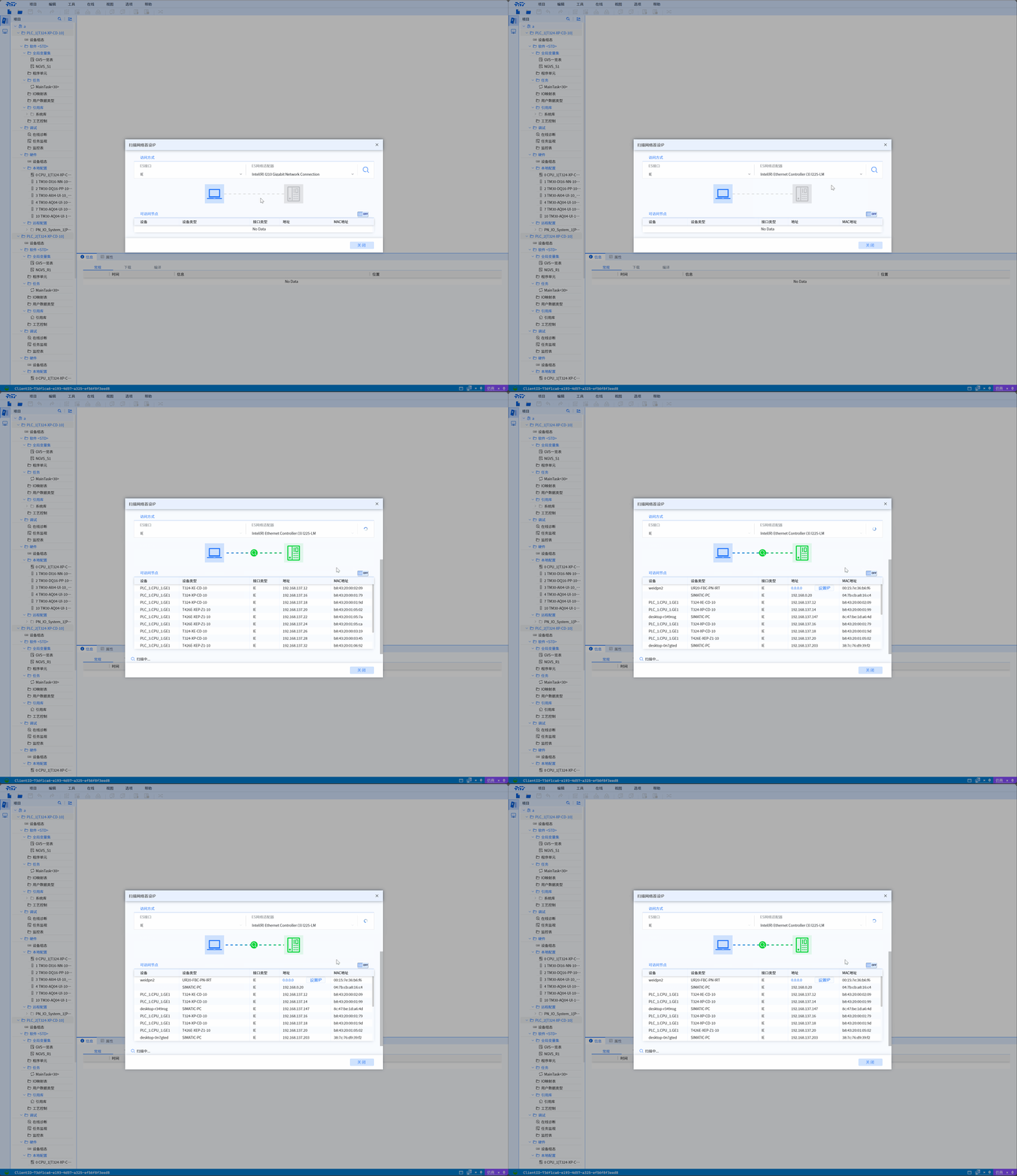
- Open the ES Network Adapter tab, select the corresponding network adapter, and click the scan button on the right to start scanning
9.1.2 View network scan results
9.1.2.1 Initial IP address
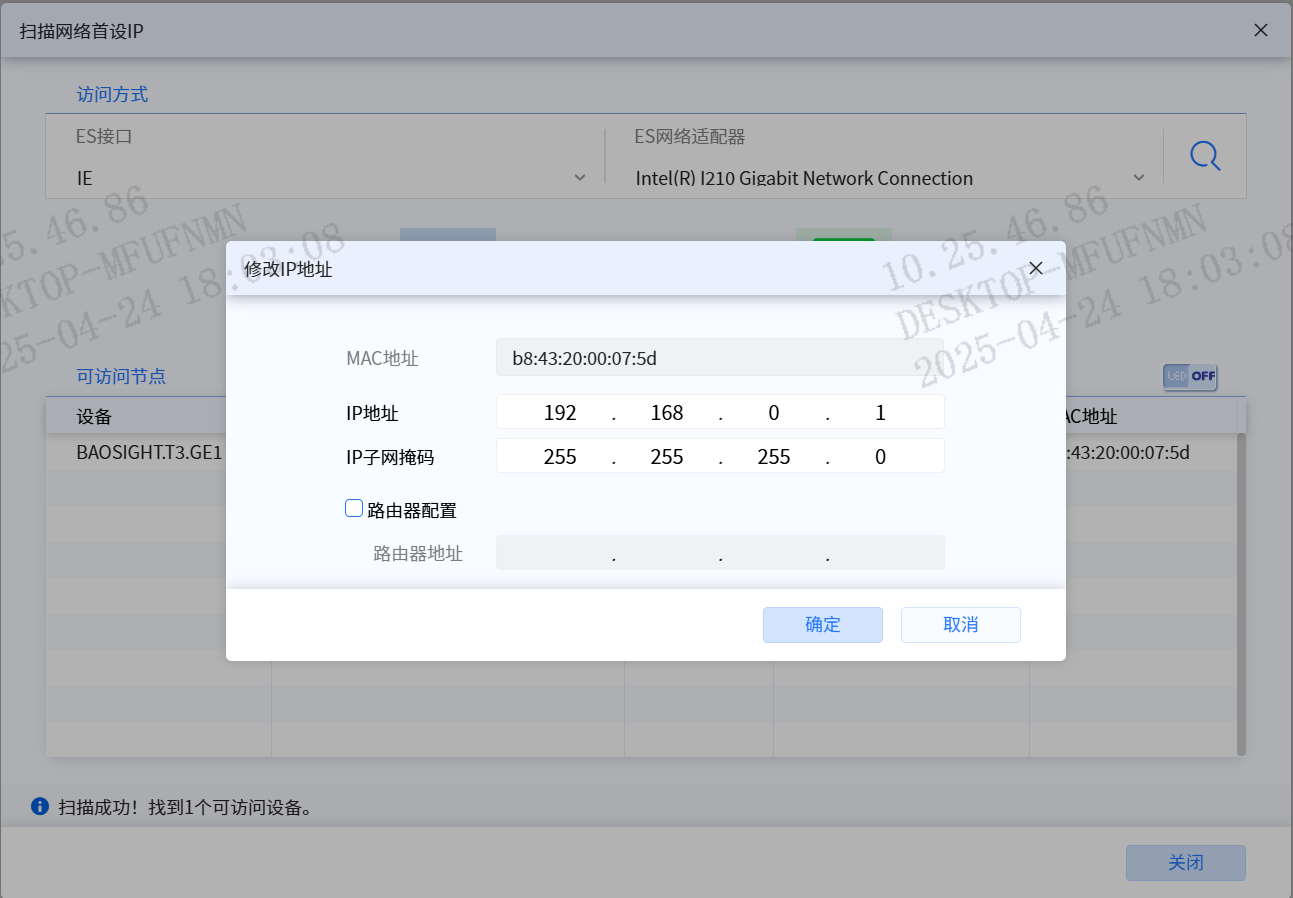
- When setting the first IP address, it is recommended to set the PLC switch button to STOP first
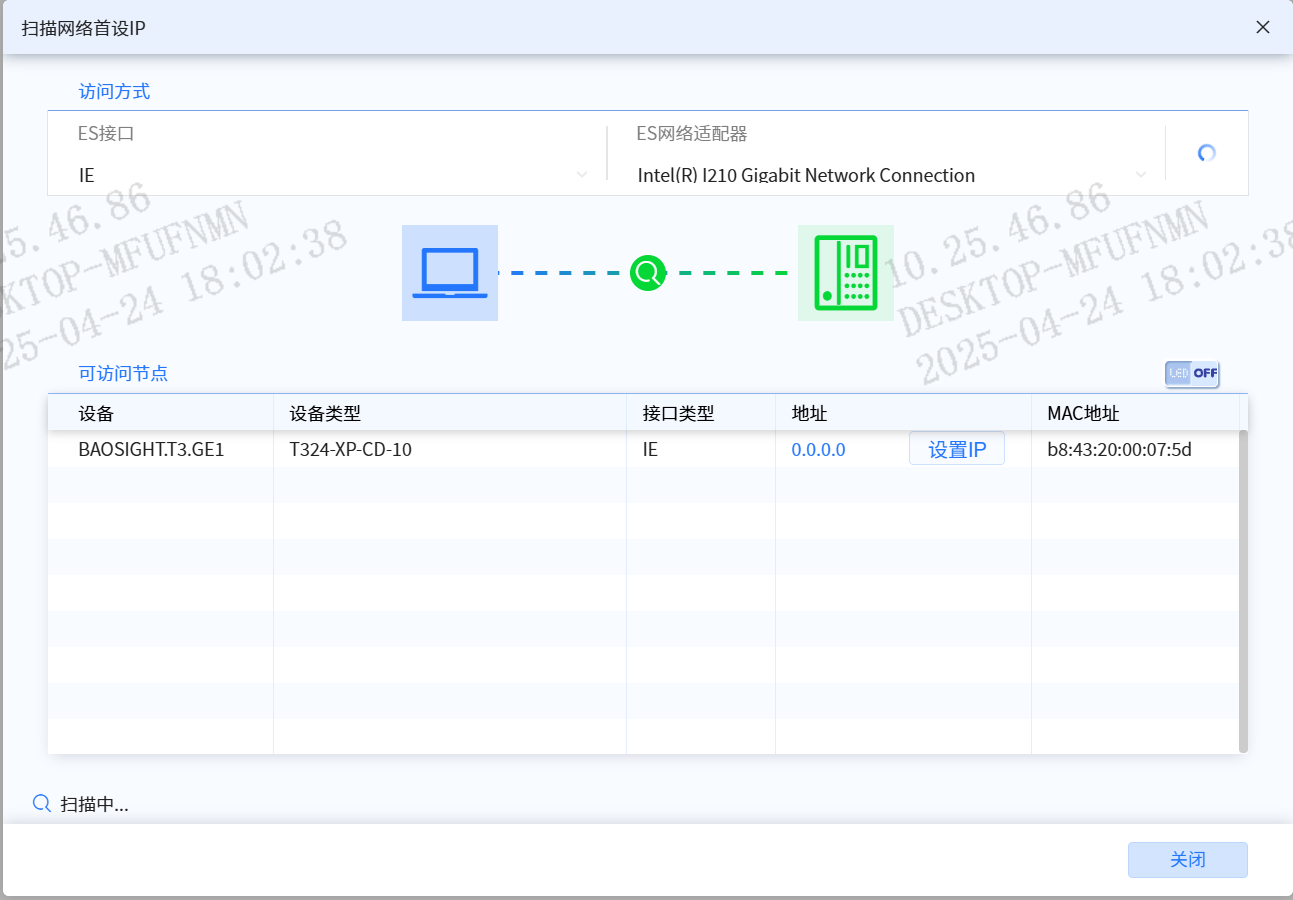
- Click “Set IP”, enter the IP address, and click the “OK” button.
9.1.2.2 Device Information
-
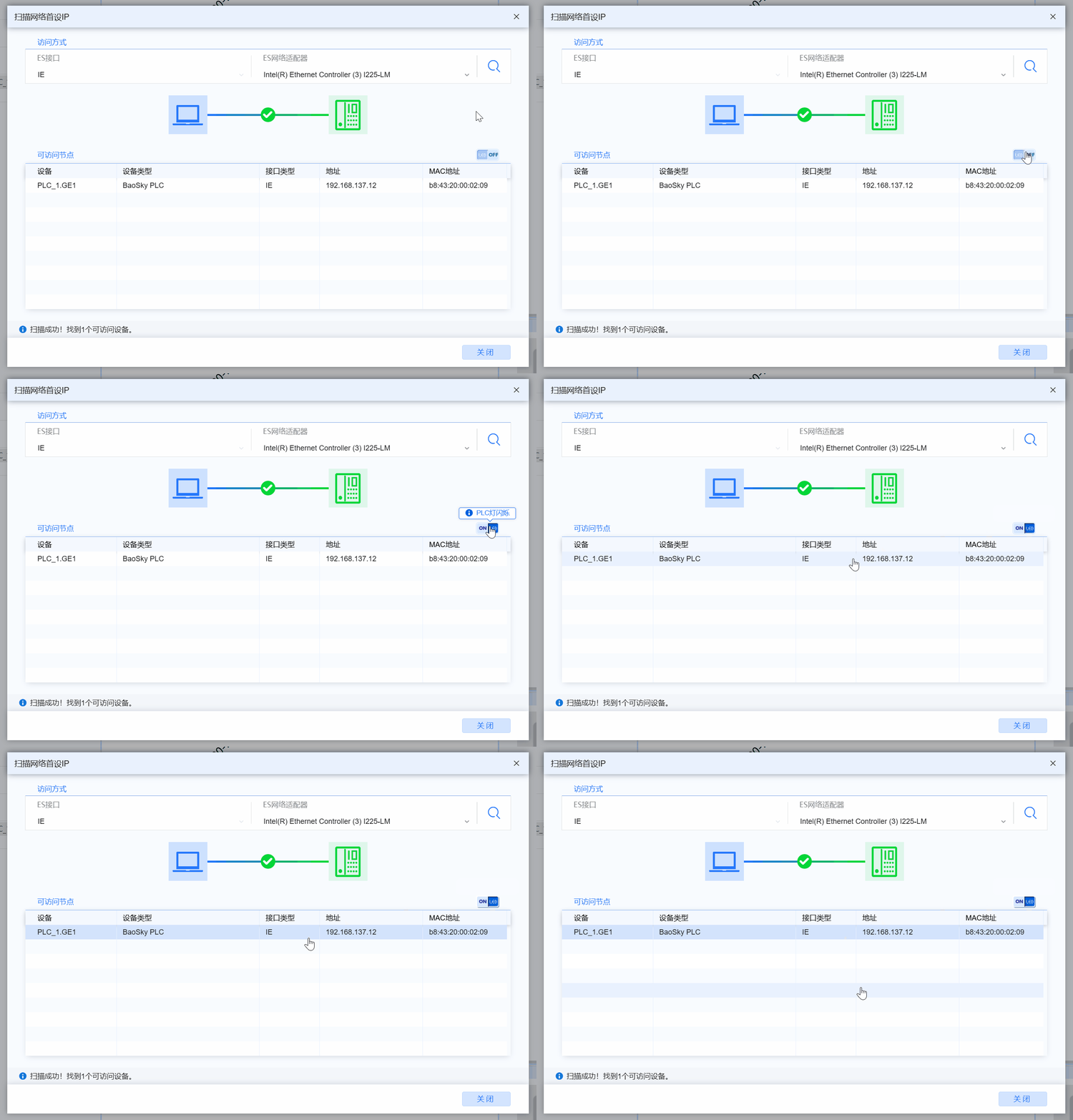
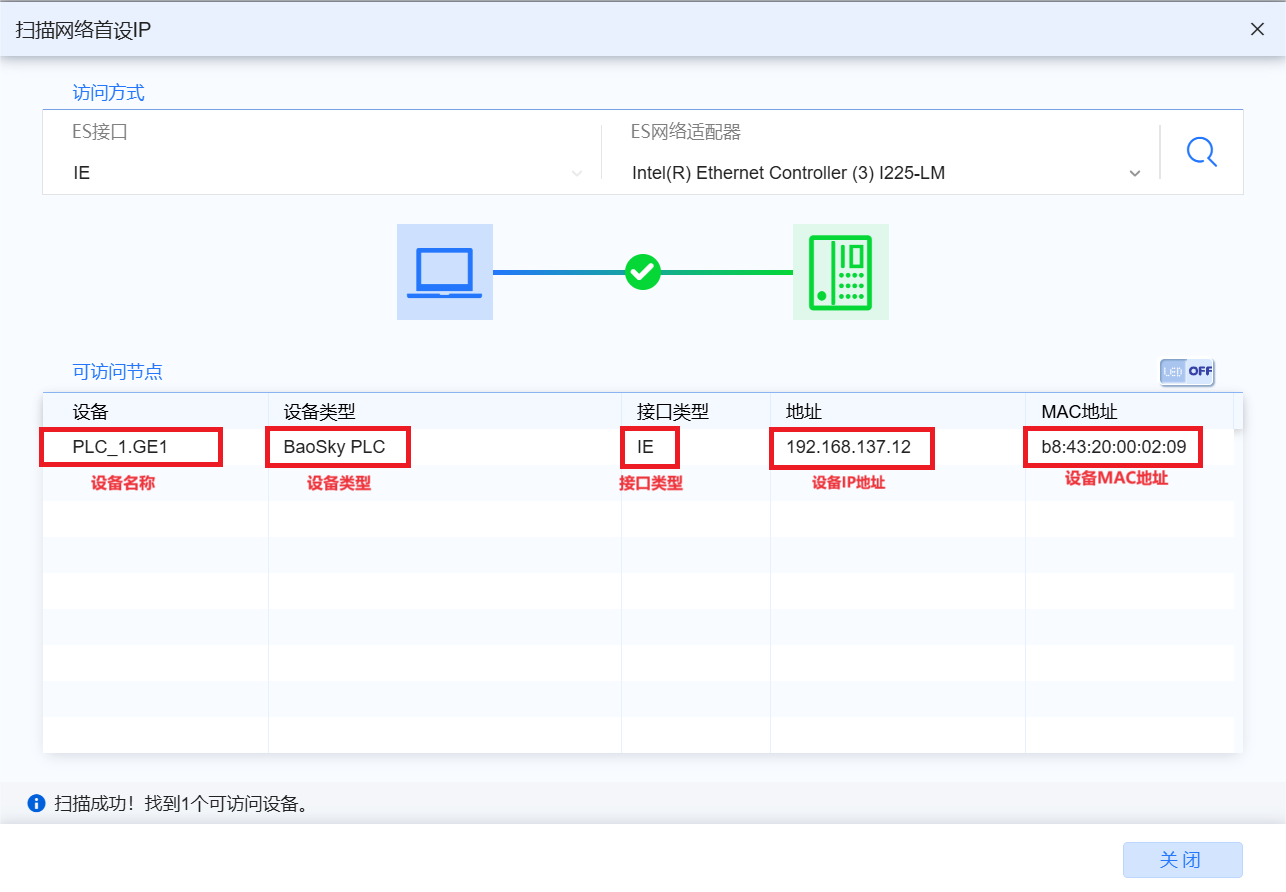
As shown in the figure below, the scanned devices are displayed in Accessible Nodes, which displays the device name, device type, interface type, and device of the device IP address, Device MAC address
-
Device name: The device name shows the name of the device in the network, such as PLC_1.GE1 (PLC_1 is the name of the device, GE1 is the name of the Ethernet interface of the device)
-
Equipment type: The equipment type specifies the type or category of the equipment, such as BaoSky PLC (BaoSky is a product of Baoxin Company, and PLC is the type of equipment)
-
Interface Type: The interface type describes the type of physical or logical interface that connects the device to the network, such as IE
-
Device IP Address: IP address is a numerical address used to uniquely identify a device on the network. It consists of a 32-bit binary number, usually expressed in dotted decimal form (such as 192.168.0.1)
-
Device MAC Address: The MAC address is the physical address of the device in the network and is used for communication at the data link layer. MAC addresses are unique and permanently assigned to network hardware (such as network interface cards) to ensure that packets are accurately delivered to the target device
9.1.3 Use the PLC indicator light flashing function to quickly find equipment
- Switch the PLC light flashing switch to ON in the Network Scan Window, click the target device in the Accessible Node, and the indicator light on the target device starts to flash