10.3 Simulation
- You can use the PLCSIM to test the performance of the configuration on the configuration PC and quickly find any logical configuration errors before proceeding with production operations
- After compiling the project without errors, the runntime system can be simulated on a PC with the project configuration system installed. This makes it possible to check the functionality of the project for necessary changes after porting without having to download the project to the target system
10.3.1 Start simulation
All operations are the same as real PLC devices
Before the simulation operation, user need to create a project
Operation steps:
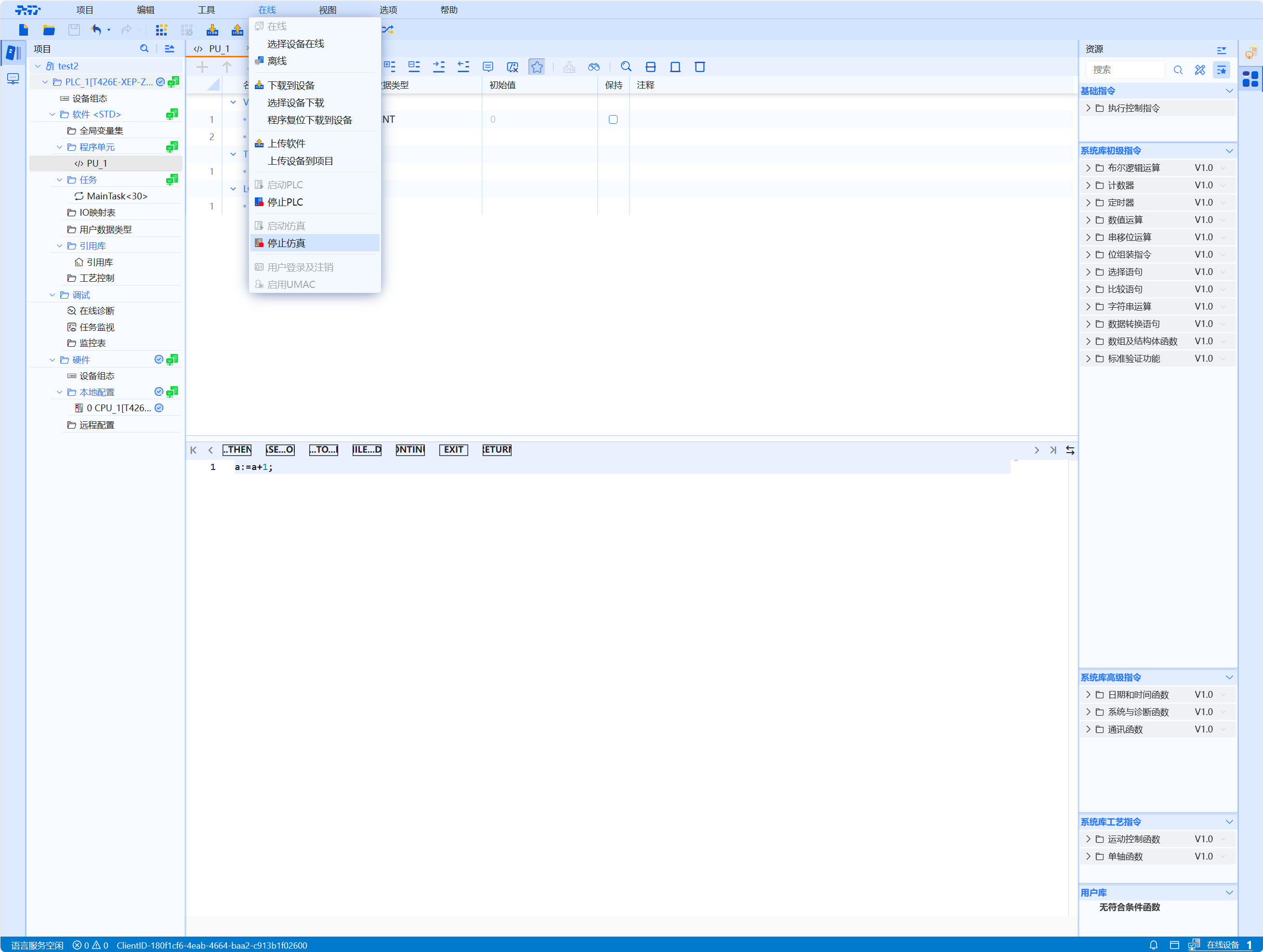
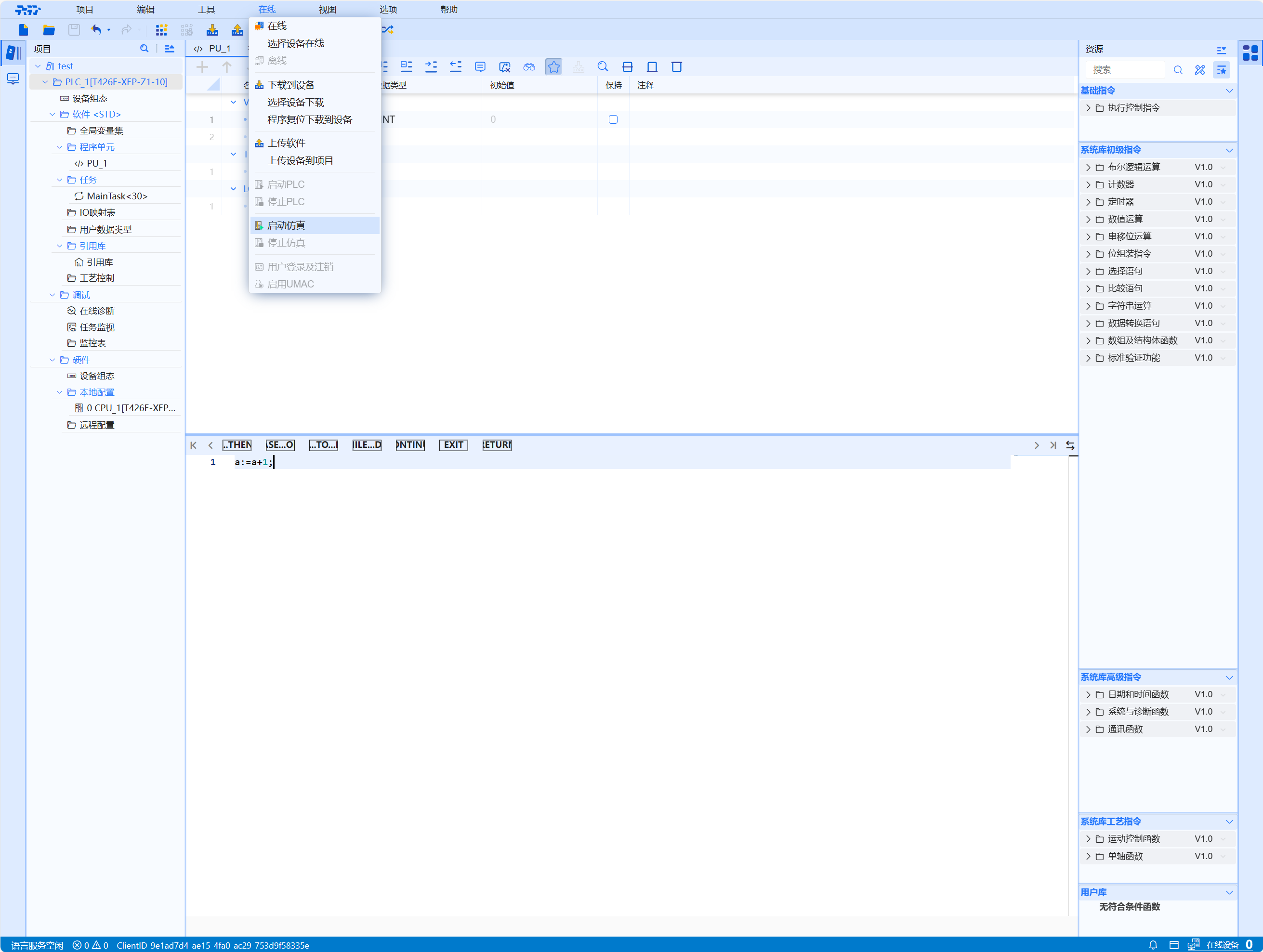
- Select the "Start Simulation" button in the first-level menu "Online", and the PLC will go online and execute the simulation process
-
The download to device button can normally download the software and hardware to the simulated PLC for execution
-
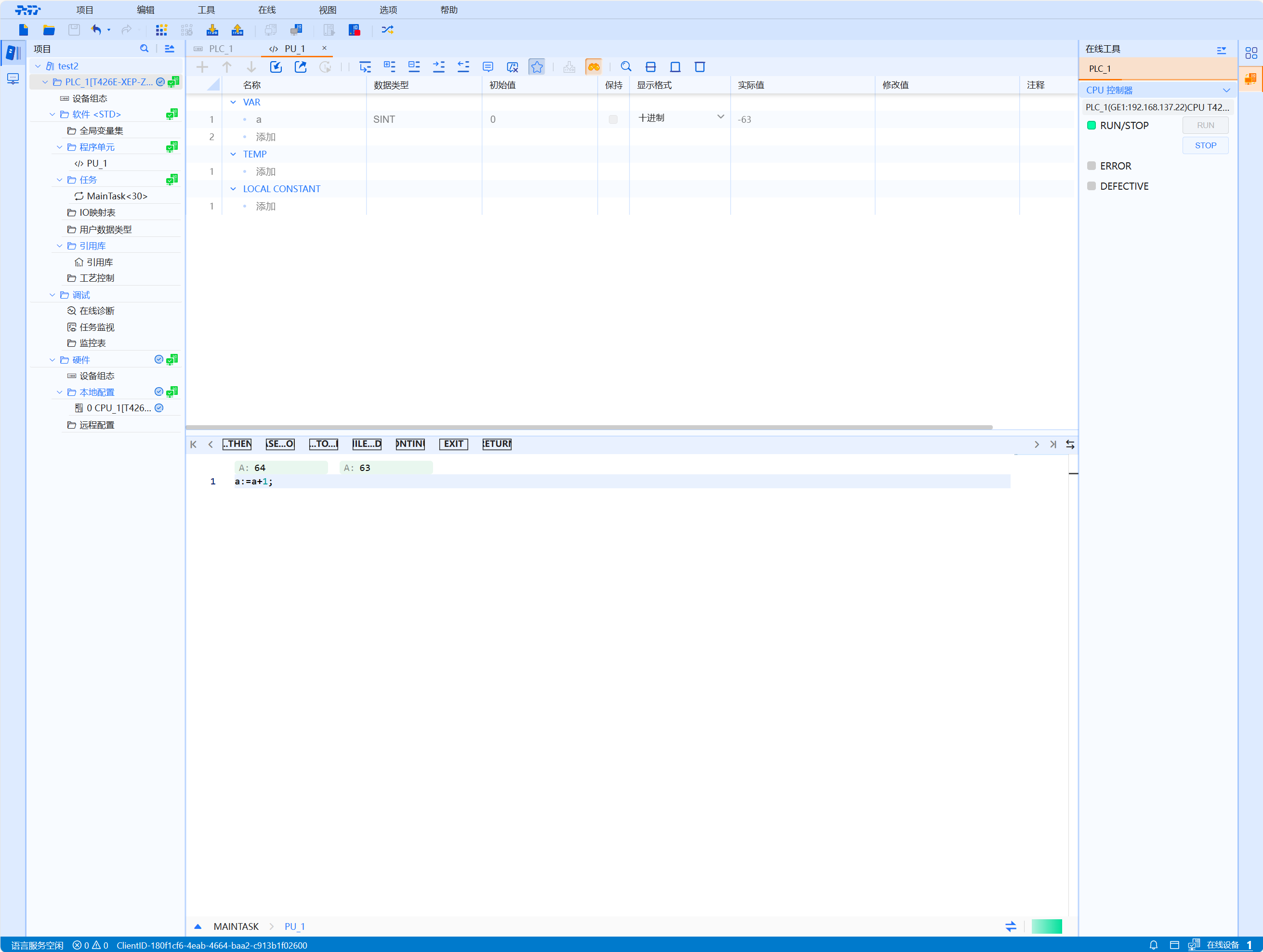
All real PLC operations can be operated in the PLCSIM, including starting and stopping the PLC CPU, variable table monitoring, variable table forcing, single-step execution or loop execution of the program, and simulation I/O area
-
Simulation cannot control external devices and does not support PLC-to-PLC communication
-
The PLC connected to the simulation can be stopped online (equivalent to offline plus unconnect) by selecting Stop Simulation in the first level menu (non-connected simulation PLCs are not operable)
-
The start and stop of the simulated PLC, the continuous and one-time writing and reading of the simulated variables are the same as the real PLC
-
Enabling of the simulation PLC does not require the user to enter a user name and password (direct access)
-
Removal of the UMAC function and software reset function from the online and diagnostic areas of the simulated PLC (the reset button is grayed out)
-
The firmware upgrade section in the online and diagnostic section of the simulated PLC can see the current type of simulated PLC, product model and other inherent display information, but the firmware upgrade function below cannot be used
-
Add a right-click reset button to the simulated PLC in the system tray to reset the program in the simulated PLC
-
The system should “remove password protection” by default when the emulation PLC is enabled
10.3.2 Stop Simulation
Operation steps:
- The simulation process can be terminated by selecting the "Stop Simulation" command on the "Online" menu bar.