14.2 Upgrading PLC Firmware to V1.1 in Legacy Projects with BaoskyIDE V1.1
14.2 Upgrading PLC Firmware to V1.1 in Legacy Projects with BaoskyIDE V1.1
14.2.1 Phenomenon
-
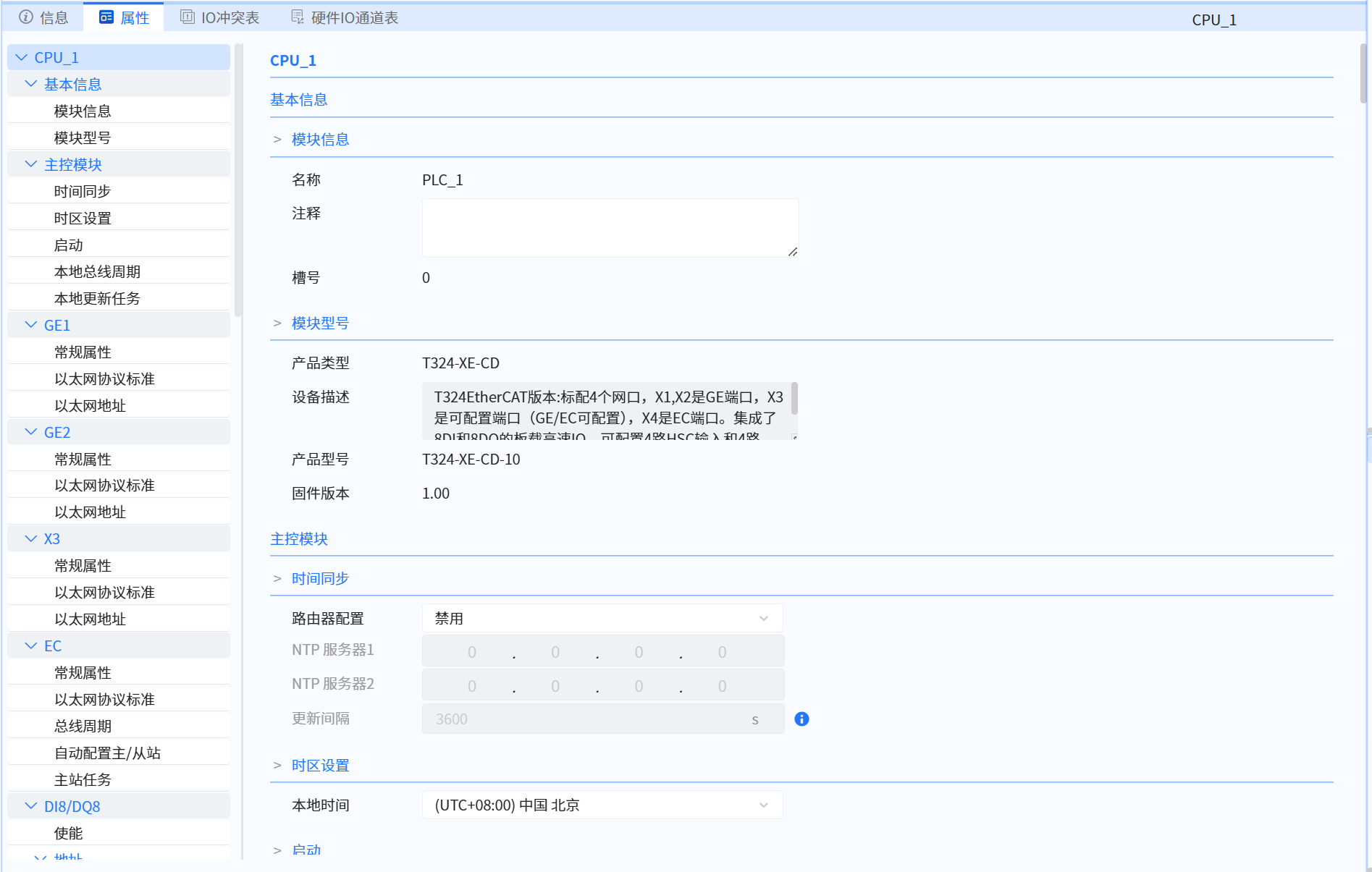
When decompressing a V1.00 project in BaoskyIDE V1.10, the PLC device firmware version does not auto-upgrade (remains v1.00). As shown below, the firmware version is visible in the module properties under Device Configuration:
-
Physical PLCs upgraded to firmware v1.1 maintain backward compatibility – they can run programs built for v1.0 firmware. For deployed projects, you may keep the project's PLC firmware setting at v1.0 even after upgrading the IDE and physical PLC firmware.
-
However, such projects will still operate on v1.0 firmware logic. New features and performance optimizations in v1.1 (e.g., incremental compilation acceleration) will be unavailable. For projects not yet deployed, upgrade the project's PLC firmware to v1.1 before field commissioning.
14.2.2 Solution
Follow these steps in the legacy project:
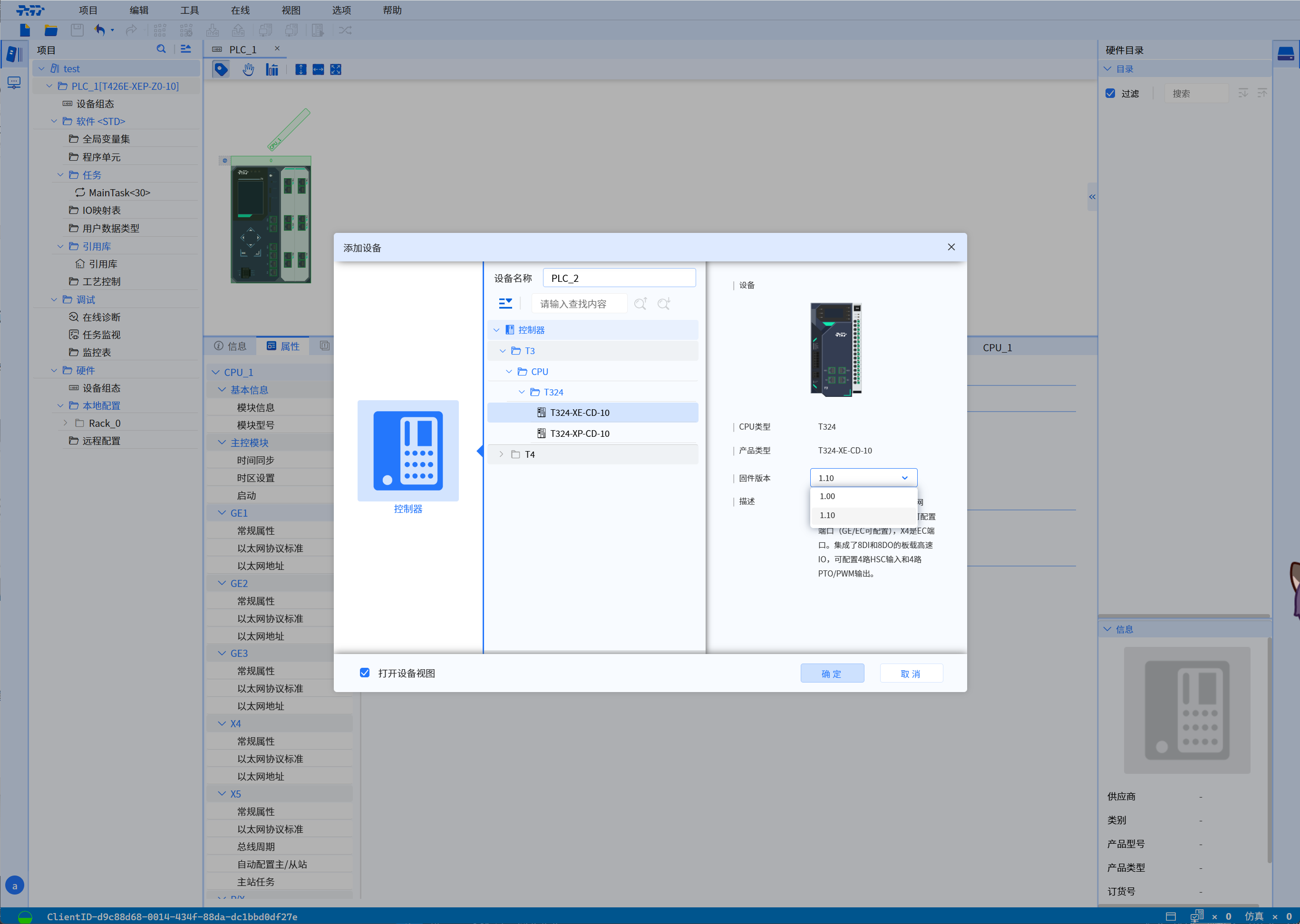
- Create a new device with v1.10 CPU firmware in the project:
- Select the original device → Export XML (include all: GVS, PU, UDT).
- Select the new device → Import XML (automatically repairs library references).
- Copy Tasks (excluding MainTask) from old to new device:
- Use Shift/Ctrl for multi-selection
- Manually add MainTask calls if used
- Copy I/O Mapping Tables:
- Exclude summary views during copy
- Copy Watch Tables from old to new device.
- Manually configure new CPU settings to match originals:
- Network port IP
- Communication port enable states
- Add remote configurations (EC/PN/DP Masters):
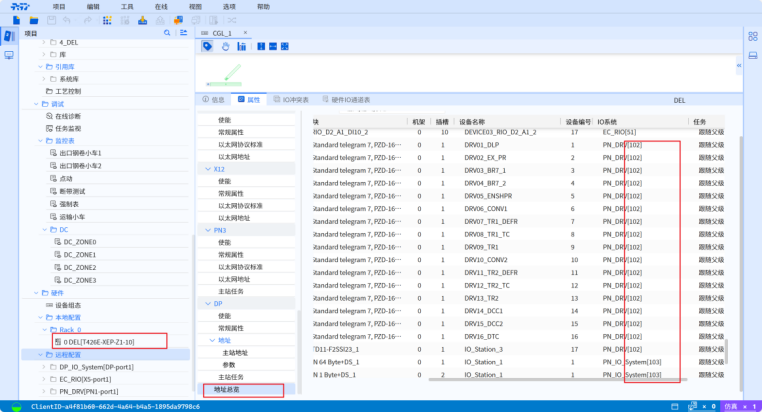
- Critical for multi-PN systems: Maintain identical device numbering
- Example: If numbering starts from 102:
a. Enable & add dummy PN port as 101
b. Add active PN ports as 102/103
c. Delete dummy port once confirmed
- Copy all slaves under each master station (allow time for large projects).
- Cross-verify configurations.
- Perform compilation check.
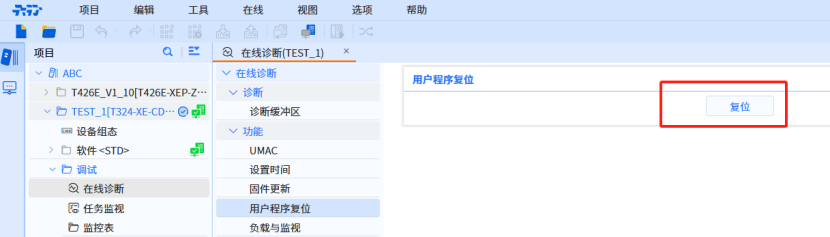
- For tested PLCs with upgraded firmware but uncleared programs:
- Go online with original PLC device
- Navigate:
Debug > Online Diagnostics > User Program Reset
- Delete original device.
- Rename new device/CPU → Go online → Download.