8.1.2 Function
8.1.2.1 Open online function
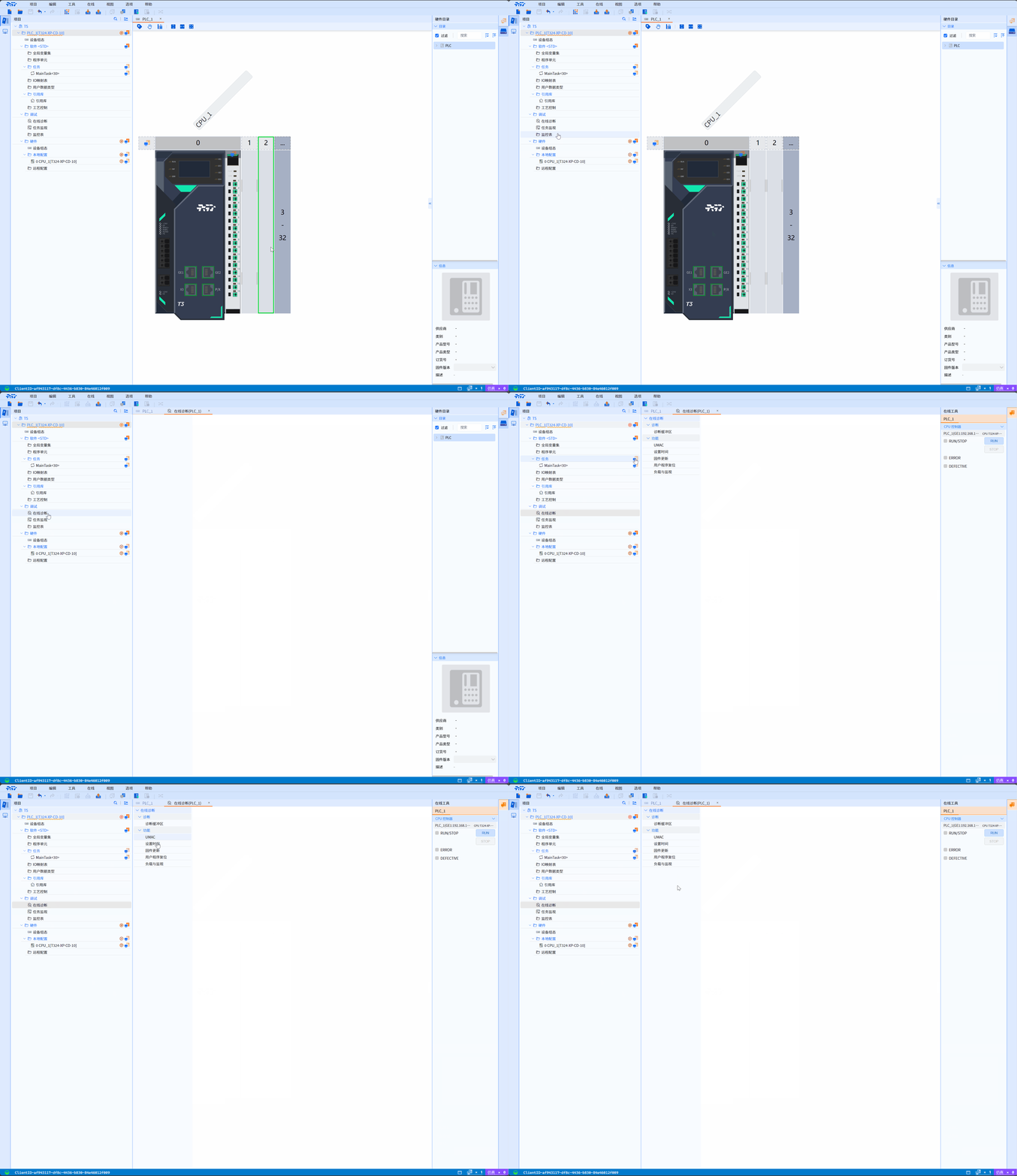
premise
- In online mode
- Add PLC equipment
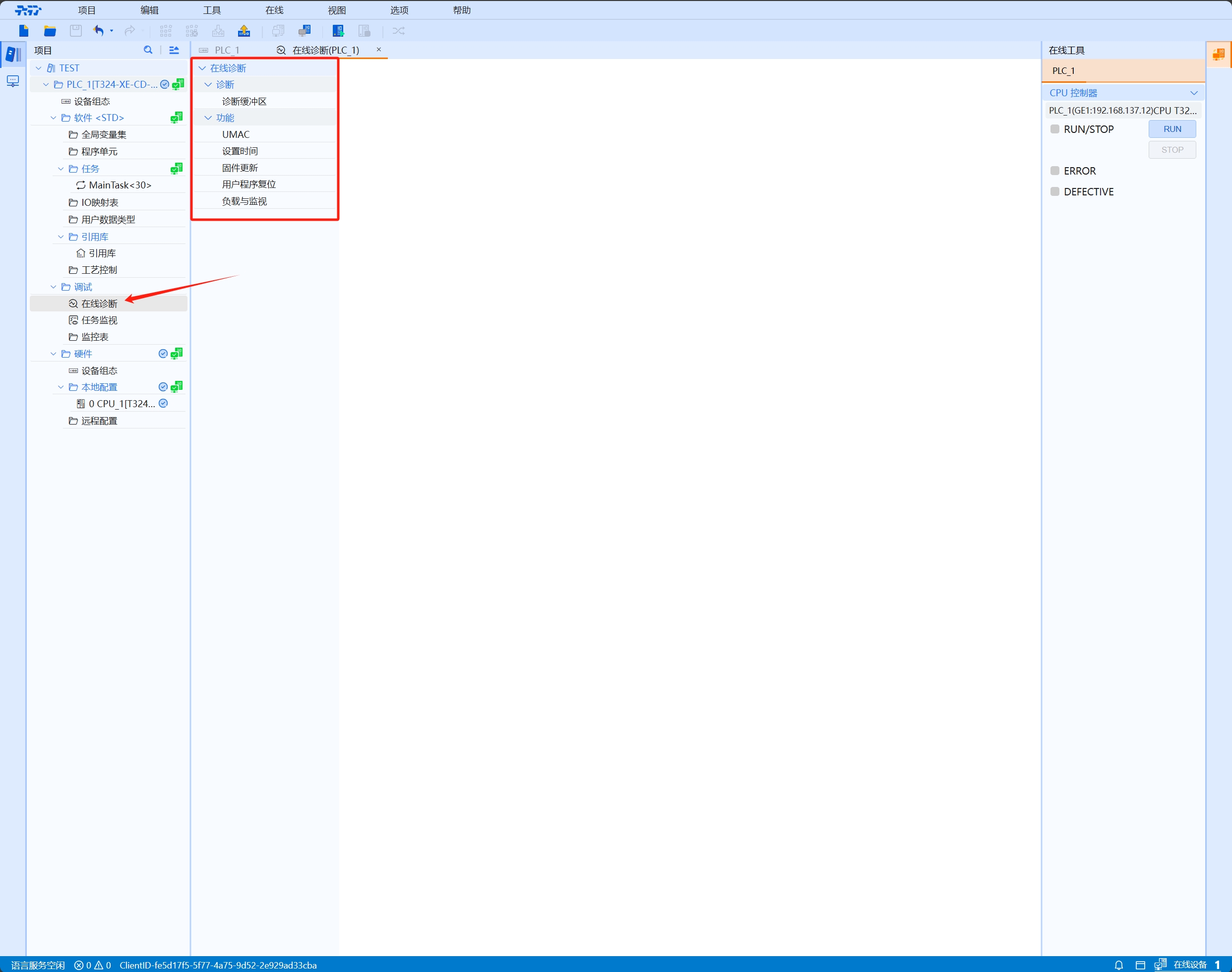
- Find Debugging>Online Diagnosis in the Project tree, double-click the online diagnosis to open Online Function
8.1.2.2 User online function
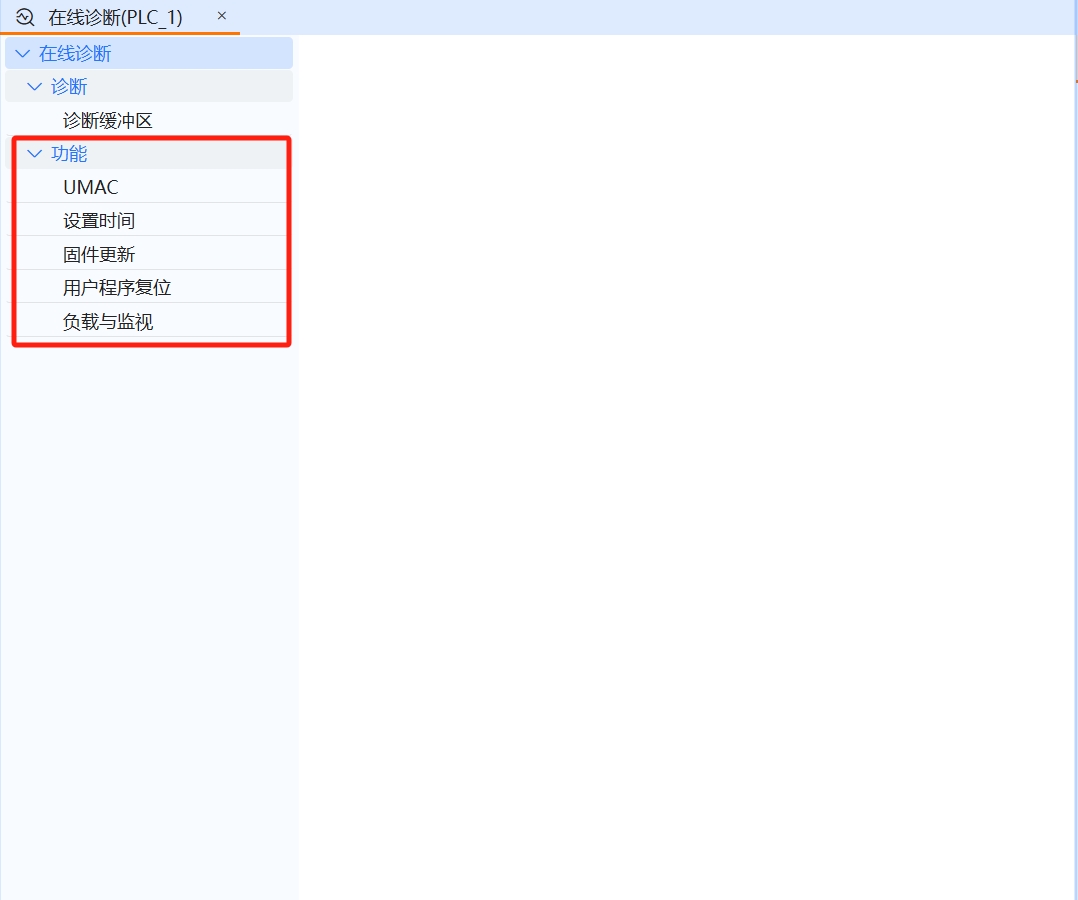
- User Online Function provides users with time setting, firmware update, user program reset operation and management means, enabling users to manage and maintain the system, improving the system's Availability and management efficiency
8.1.2.2.1 Set time
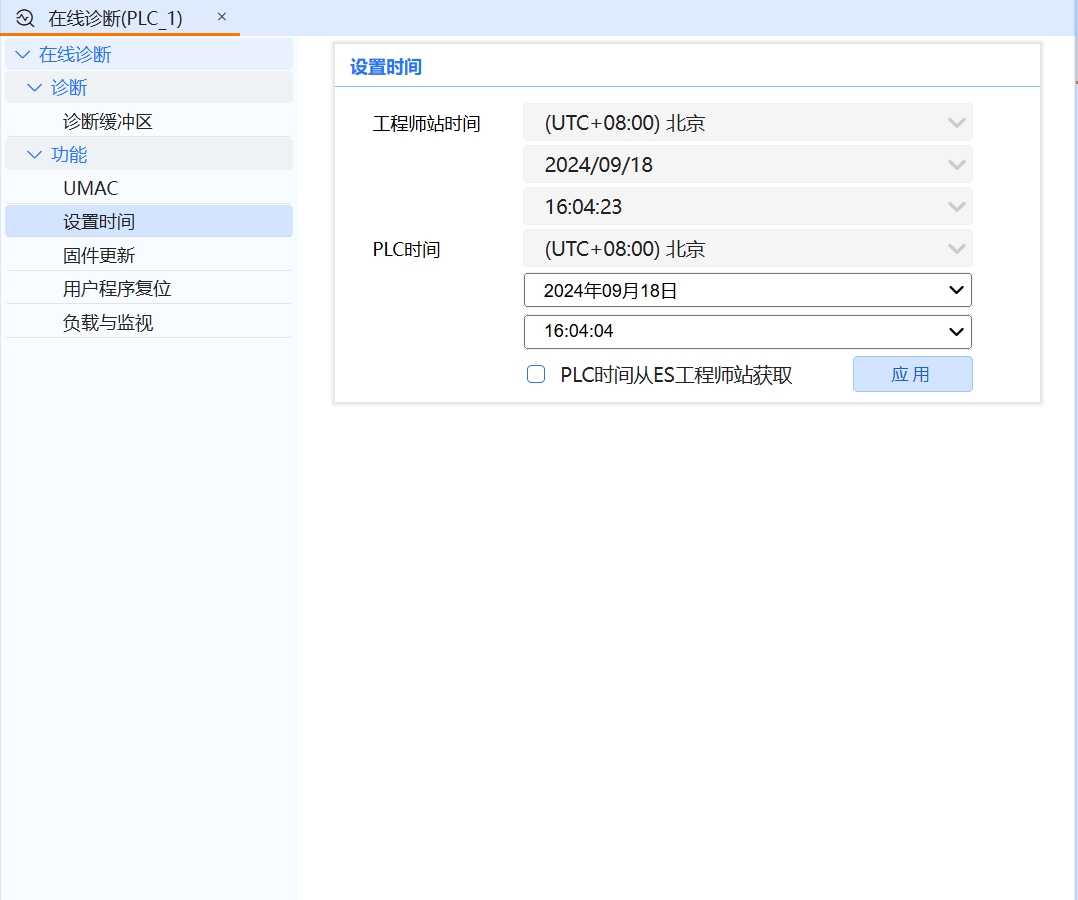
The role of setting time
-
- Control system synchronization Clock synchronization: As the reference time of the entire control system, the engineering station time is crucial to ensuring time consistency between various devices and components in the system. Through the time synchronization of the engineering station, it can be ensured that data recording, event triggering and other operations of each node in the control system are performed under a unified time frame, thereby avoiding data confusion or operational errors caused by time differences.Time server synchronization: In some advanced applications, the engineering station will also obtain accurate time from an external time server (such as GPS time server) through network timing software to ensure that the engineering station time is synchronized with the global standard time. This not only improves time accuracy, but also facilitates cross-regional and cross-system data integration and analysis
-
- Data recording and analysis Real-time data collection: The engineering station can collect various data in the production process (such as temperature, pressure, flow, etc.) in real time, and associate these data with time stamps for storage. Accurate timestamps are of great significance for subsequent data analysis, fault diagnosis and performance optimization.Historical data tracing: When a historical review or performance analysis of the production process is required, the time information provided by the engineering station allows historical data to be accurately traced in chronological order, helping engineers quickly locate problems, analyze causes, and formulate improvement measures
-
- Event triggering and alarming Event triggering mechanism: In industrial automation systems, many operations or responses are triggered based on time (such as scheduled inspections, periodic maintenance, etc.). The engineering station time serves as the basis for these time triggering mechanisms, ensuring the accuracy and timeliness of operations. Alarm function: When the system detects an abnormal situation (such as equipment failure, parameter exceeding limits, etc.), the engineering station will generate alarm information based on preset time rules and logic, and record the exact time of alarm occurrence through a timestamp. This is important for responding to failures quickly, reducing downtime and reducing losses
The PLC time is obtained from the ES engineering station
- Check the PLC time obtained from ES engineering station option box and click the Apply button to synchronize the PLC time with the engineering station
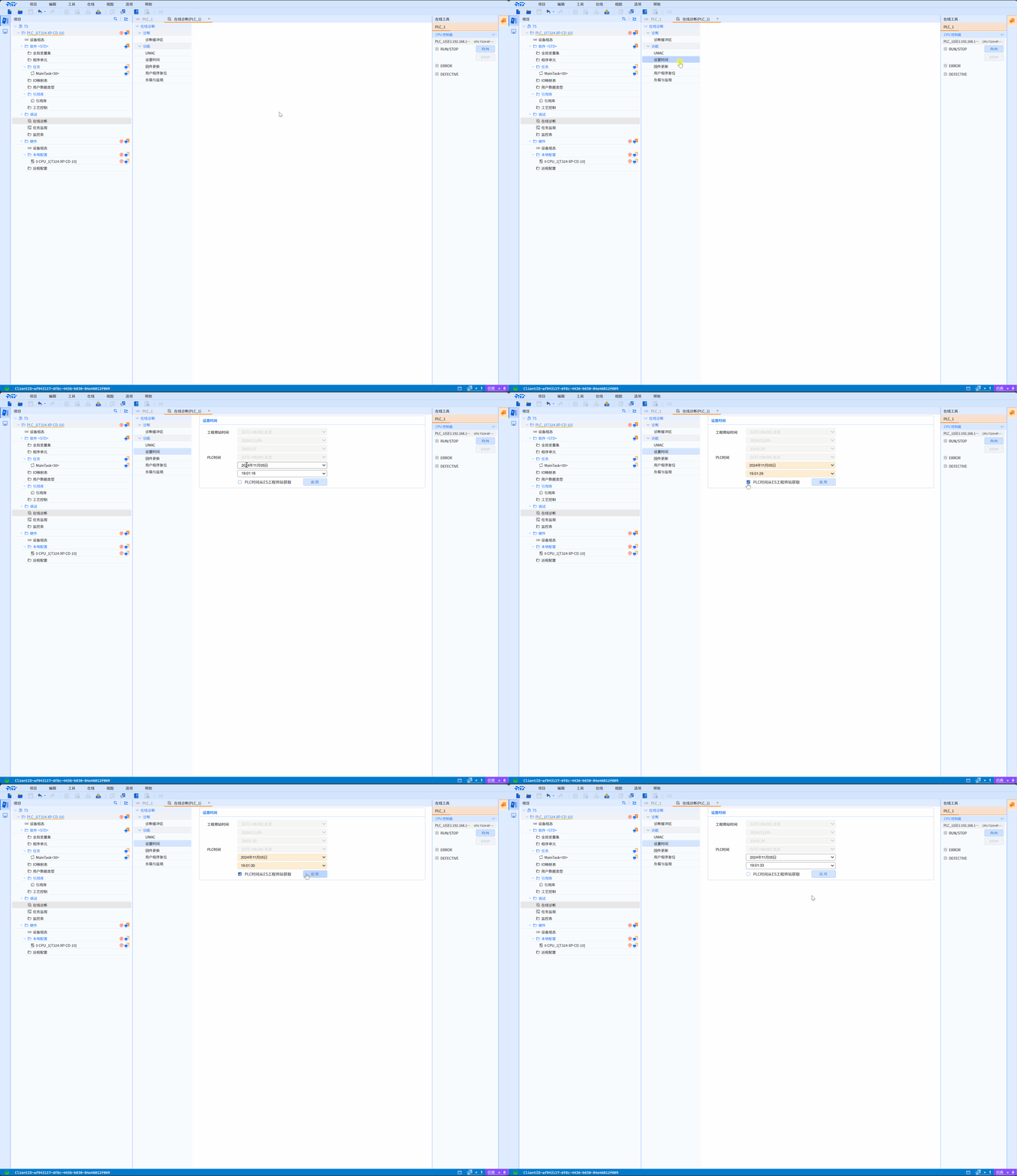
8.1.2.2.2 Firmware Update
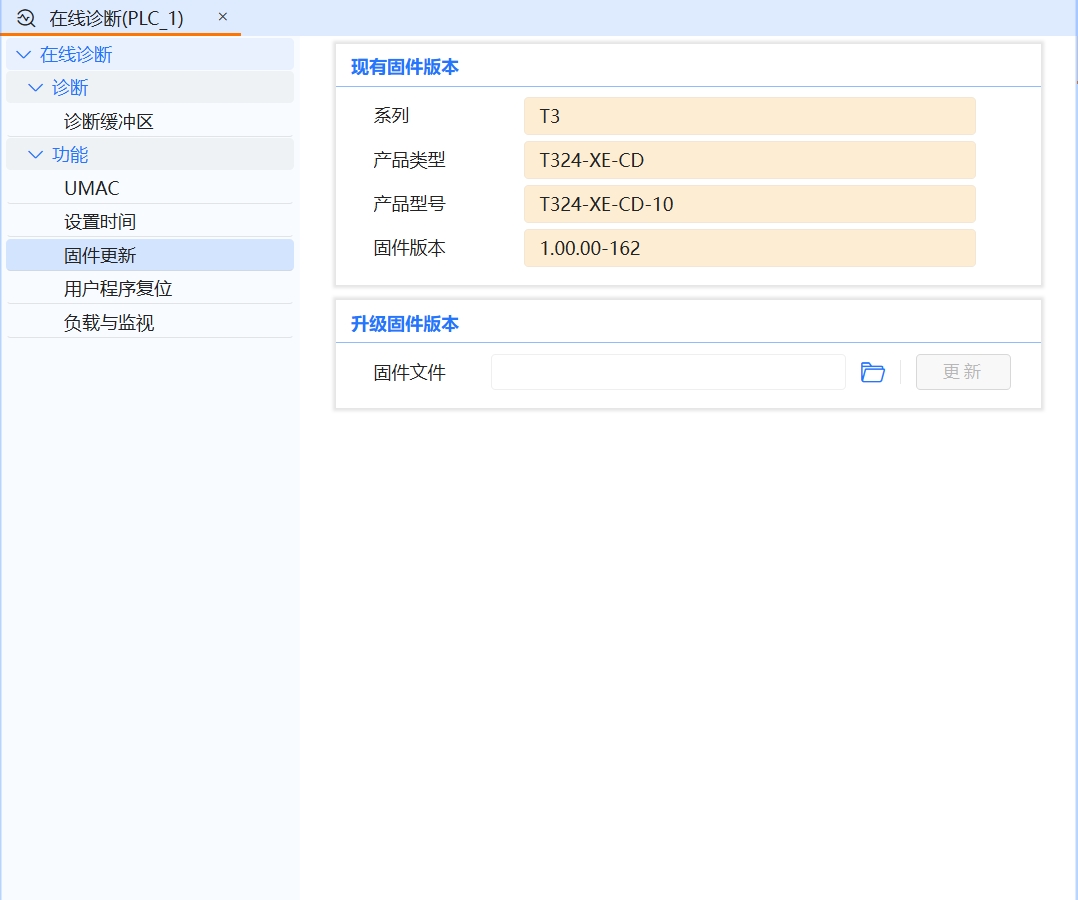
- Firmware updates are to enable the device to continue to provide the latest, most stable and secure performance. Through firmware updates, loopholes and defects in the device can be repaired and the security and stability of the device can be improved. Firmware updates can also add new features, optimize device performance, and improve user experience
Existing firmware version
- Series: Used to distinguish the structure, control scale, function, etc. of PLC equipment, such as T3 series
- Product model: The identifier of the device, used to distinguish products with different configurations, functions or specifications in the same product series, such as T320-EC
- Hardware model: Hardware model refers to the hardware version number of the device. It is a way of identifying hardware products that can help users, manufacturers and maintenance personnel identify and understand the specific configuration and version of a specific device, for example: xxxx -T320-EC-xxxx
- Firmware version: The current version of the device’s internal software (firmware), used to identify the software status of the device, for example: 1.00
- Upgrade firmware version
- Firmware file: Here user can select the firmware file that needs to be upgraded, and click the update button to update the device firmware
Firmware Update Operation
notes
- Log in to the online PLC device as an admin or full-access user
- Ensure the CPU is in STOP mode
- Click the folder icon button in Upgrade Firmware Version to open the file directory, select the target firmware file, click the Update button and the firmware file will start to be parsed. After the parsing is completed, the target firmware version information and the current device will be displayed. To compare the firmware version information, click the Confirm button to start updating the firmware version. After the firmware update is completed, the device will automatically restart and will automatically try to restore the connection after being disconnected
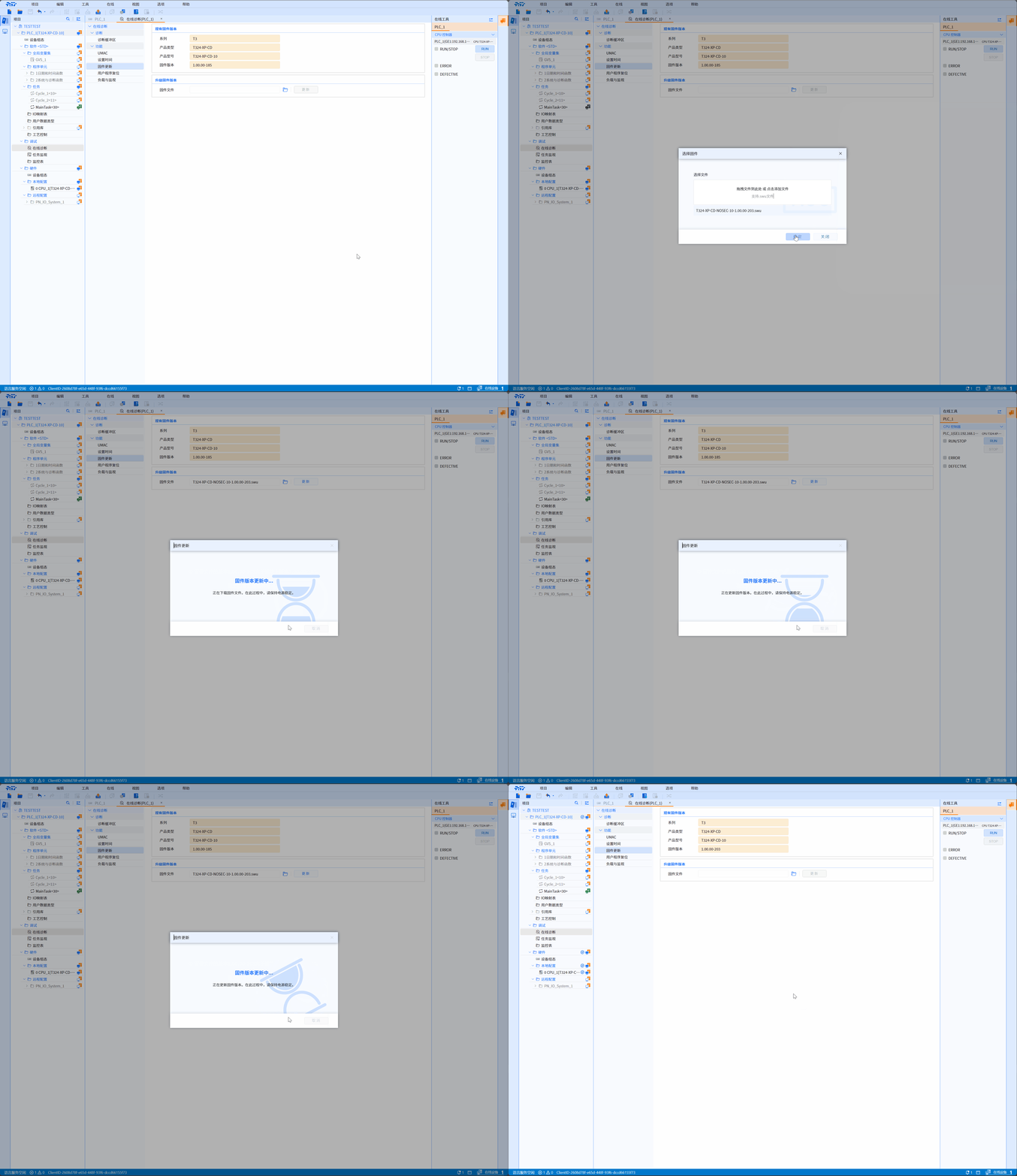
8.1.2.2.3 User program reset
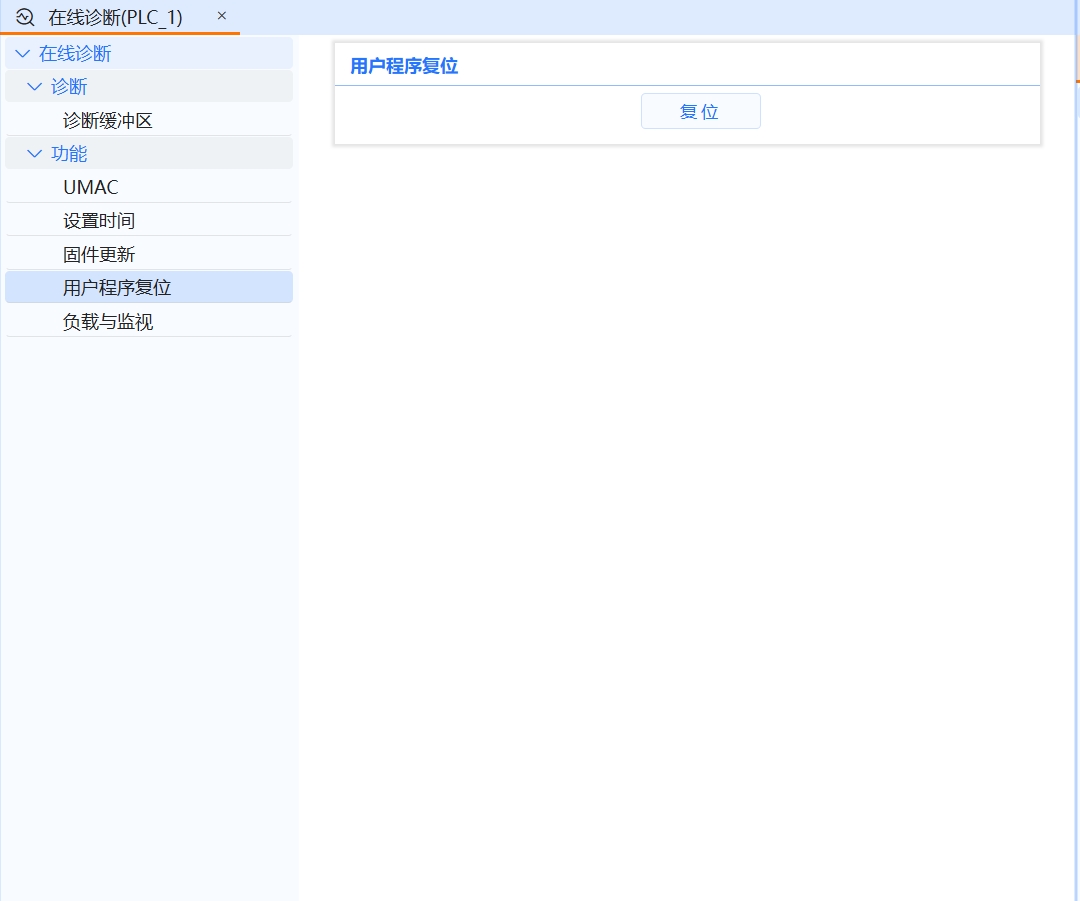
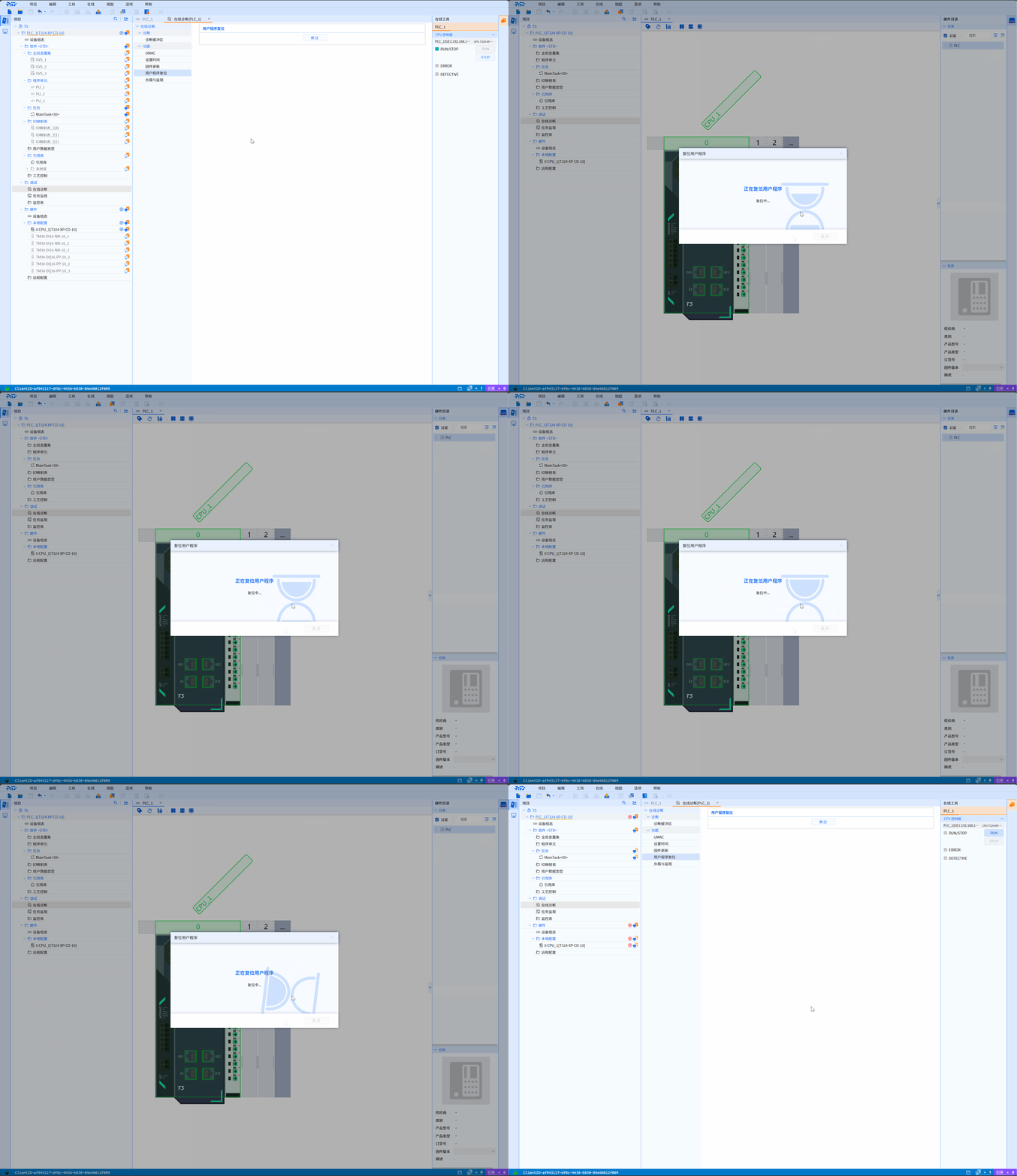
- The user program reset function will clear the user program and retain variables on the SD card. The IP address, admin password, and diagnostic buffer remain unchanged. During the reset process, the lower computer will stop running and disconnect
User program reset operation
- Click the Reset button, click the Confirm button in the User Program Reset window, wait for the reset process, and complete the user program reset operation
8.1.2.3 Load and Monitoring
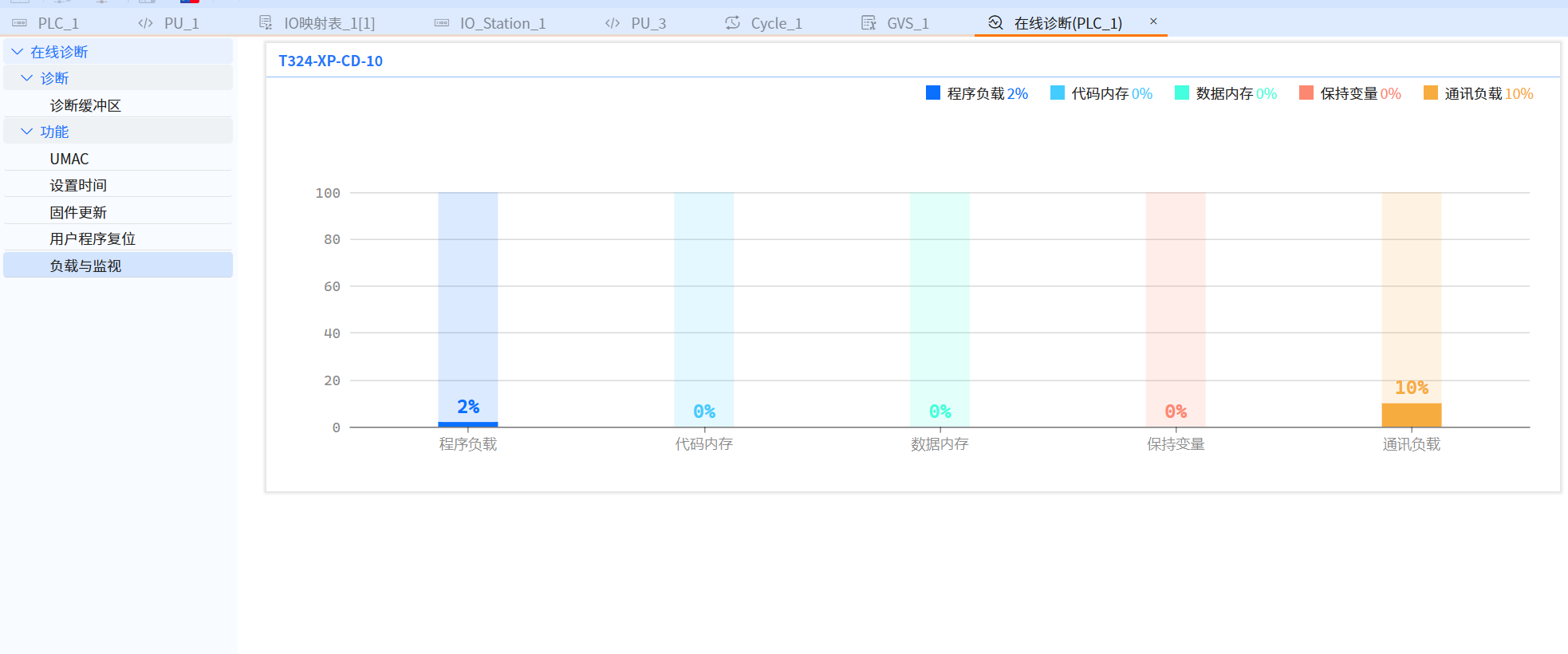
- The load and monitoring of the PLC shows the load in five areas: PRG (program), CODE MEM (code memory), DATA MEM (data memory), RETAIN MEM (hold variable memory), and COMM (communication).By monitoring these aspects, the stable operation of the PLC system can be ensured and the performance and reliability of the automation system can be improved