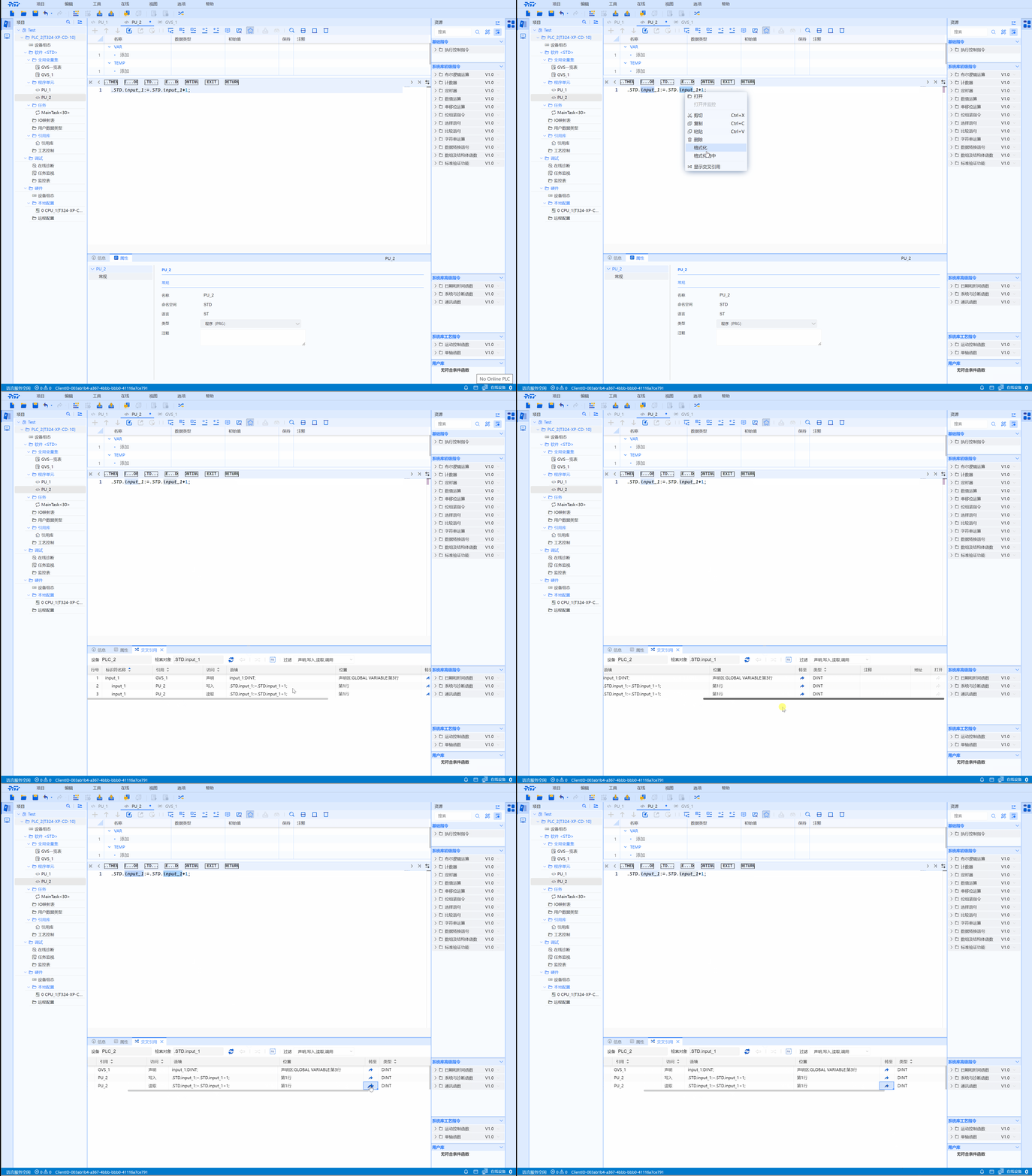
3.1 Cross Reference
- The cross-reference list shows an overview of the use of objects and devices in the user's program. In this list, you can view the dependencies and calling relationships between objects, as well as the location of each object. Here, you can also jump directly to the reference location of the object.
warning
Support variable names (including FB instances, UDT type variables, member variables), PU names, UDT names, TASK names
Remark:
- For objects in the Project Tree, if the selected item is not a cross-reference object, the cross-reference will be invalid (menu, toolbar icon, right-click shortcut)
- For objects in the Edit Window, if the selected item is not a cross-reference object, the cross-reference will be invalid (menu, toolbar icon, right-click shortcut), or an error will be reported after the reference.
- Cross-reference failure information can be observed in the lower right corner
- Cross references are only searched within this PLC
3.1.1 Use of cross-references
3.1.1.1 Identifier entry
- Select the corresponding identifier-->right-click-->Show cross-reference
- Select the corresponding identifier-->Toolbar-->Cross-reference shortcut key
- Select the corresponding identifier-->Menu bar-->Cross-reference
tip
- Contents that can be selected by right clicking
- Project tree --> Fourth-level directory subnode
- Code area (ST, LD)-->Variables
- Declaration area-->Variables
- Declaration area-->Data type
- Reference library editor-->Function name
3.1.1.2 Cross-reference task box introduction
- In "Access" you can see the corresponding functions of the corresponding identifiers
- In "Context" you can see the corresponding situation of the corresponding identifier, such as usage method and definition method
- Click "Jump Arrow" in "Go" to jump to the reference position of the object (cursor display)
- You can see the data type of the current identifier in "Type"
3.1.1.3 Reference type
Four reference types: declaration, writing, reading, calling
- Declaration: Define the data type and value of the identifier
- Writing: Enter the identifier
- Reading: Output the identifier
- Calling: Call on identifier
3.1.2 Cross-reference operation video