3.6 Rename and Refactor
3.6.1 Refactor
- Refactoring is to ensure that the reference of the code at the reference will not be modified while modifying the definition of the original object within the scope of the reference.
- Special scenarios where part of the logic is refactored outside the language service, such as when task name renaming is used in hardware configuration, and the refactoring at this time is provided externally by the language service.
3.6.2 Rename
If the name is the same after refactor, the name will be automatically +1
Variable name, renaming involves the following options:
- Where variables are defined, modifying the variable name triggers a refactor pop-up window. Reconstruct all references to this variable, including IO mapping table and monitoring table
| Serial number | Object identifier | Only modify this object identifier | Reconstruct all referenced objects |
|---|---|---|---|
| 1 | Variable name declared in GVS | Only modify the variable name | Reconstruct all references to this GVS global variable, including IO mapping table and monitoring table |
| 2 | Variable name declared in PRG | Modify only the variable name | Reconstruct all references to this variable, including monitoring tables |
| 3 | Variable name declared in FC | Only modify the variable name | Reconstruct all references to this variable, including formal parameters when calling |
| 4 | Variable name declared in FB | Only modify the variable name | Reconstruct all references to this variable, including formal parameters when calling the instance |
| 5 | STRUCT member variable name | Only modify the variable name | Reconstruct all references to this variable, including all instance references that include this member |
3.6.3 Rename PLC
-
Right-click the PLC node in the project tree, click “Rename” in the secondary menu, type the new PLC name in the Rename window, and click “OK” button to complete the renaming.
-
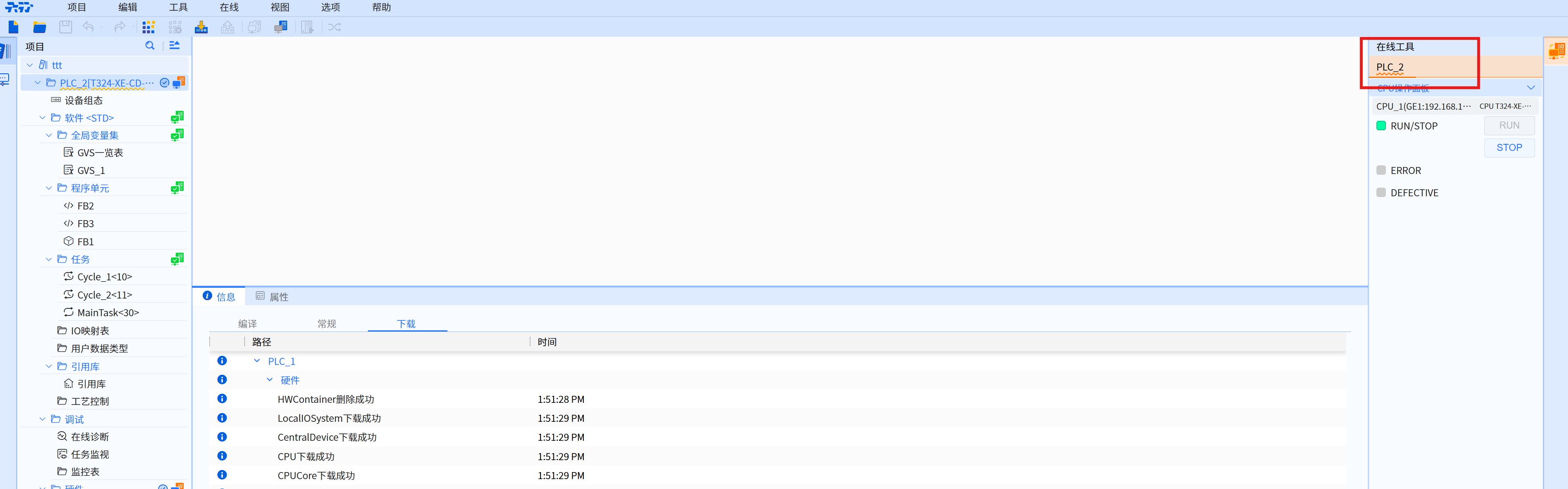
Online tool, when PLC name is not the same as the upper and lower bits, there is a wavy line prompt.